Portfolio

Wenxiong Hao

Mechanical Engineer

I build across robotics, products, and hardware — plus the small software tools I make for everyday problems — turning curiosity into things that actually work, and building them around the people who use them.

Scroll
(01) About

From building things out of curiosity, to caring about the people who use them.

I'm a mechanical engineer who likes to build — to take an idea from a sketch to something that actually works. Most of what I've made came out of following my own curiosity, one project leading into the next and each one a little more ambitious than the last.

It started with the simplest platform I could build: a self-contained pneumatic cart. That cart became the base everything else grew from. I turned it into an autonomous ground vehicle for IGVC, adding navigation and heading correction so it could steer itself around a course. An interest in underwater robots led to a rigid, servo-driven robot fish; a parallel curiosity about walking machines led to a Jansen linkage walker and, later, the mechanical design of an independently-actuated, direct-drive quadruped. By graduate school these threads converged on soft robotics — I combined the pneumatic actuation from that first cart with the bio-inspired fish to design air-driven soft robotic fish.

That's where I found what I actually care about: soft actuators. What pulled me in is how forgiving and versatile they are — they can run on air or water, reach into places rigid mechanisms can't, work in extreme environments, and stay safe around both people and their surroundings. The more I worked on it, the more one idea stuck with me: if the whole point is being human-safe, then what matters most is simply making life better for the people using it.

That realization is what led me to product design, and to a problem of my own. In my older New York apartment, dealing with wet kitchen waste was a constant frustration — which is exactly the kind of small, real, human problem I think good design should solve. So I designed an over-the-sink kitchen waste rack to fix it.

This portfolio is deliberately general, but the same instinct runs through it. Outside the lab, when nothing on the market did what I needed, I designed a forged beadlock wheel for my own Jeep and had it manufactured — alongside working out the drivetrain and fabrication problems the truck throws at me, and writing small software tools for everyday frustrations of my own. It spans all of these rather than picking one, because together they trace how I got here.

The technology we already have has outrun what most everyday problems call for. It takes the right idea, applied well.

(02) Robotics & Mechanism Design
01 / 06

Soft Robotic Fish and Artificial Muscle
Published Columbia soft-robotics research on a bi-stable "hair-clip" swimming mechanism — the pneumatic fish hit 1.40 body-lengths/second, a 2× gain.

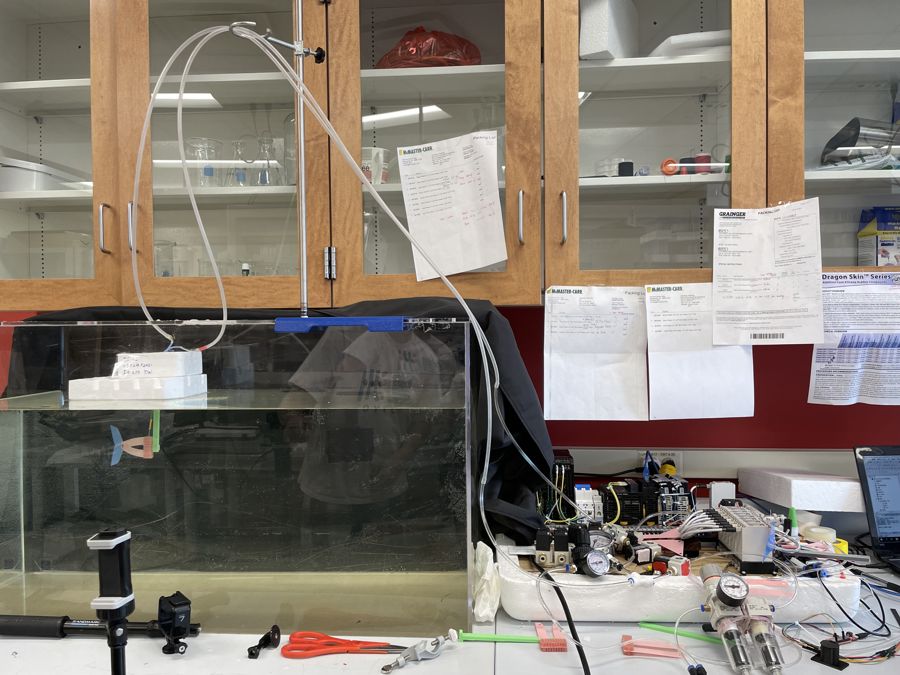
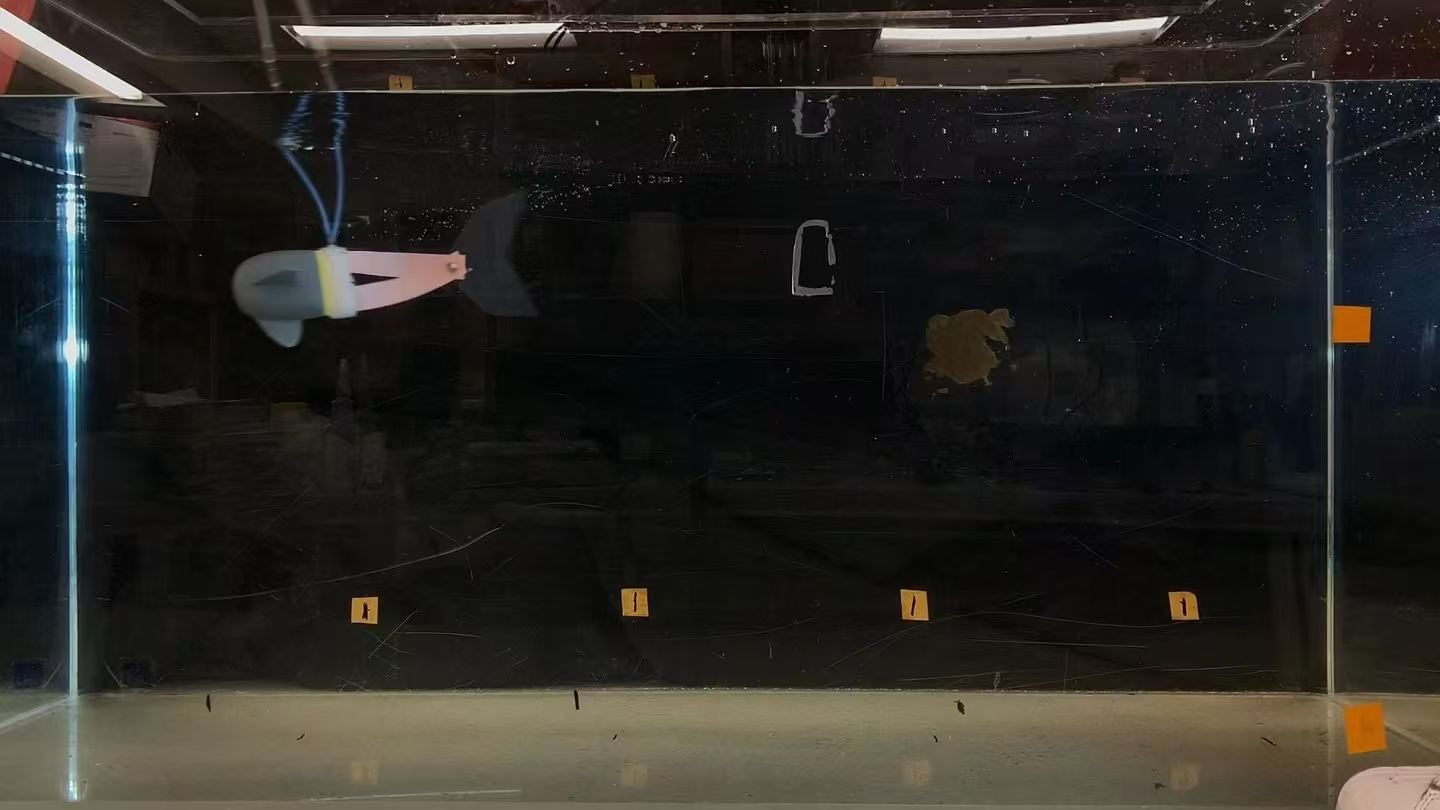
Soft robotic fish swimming in a distance-marked test tank
Swim test — distance-marked tank

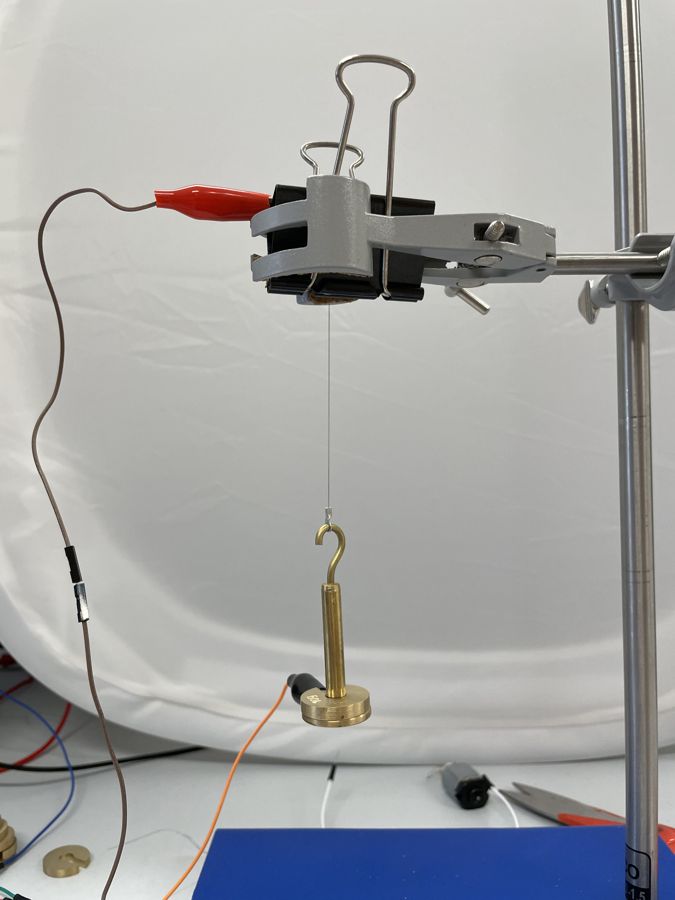
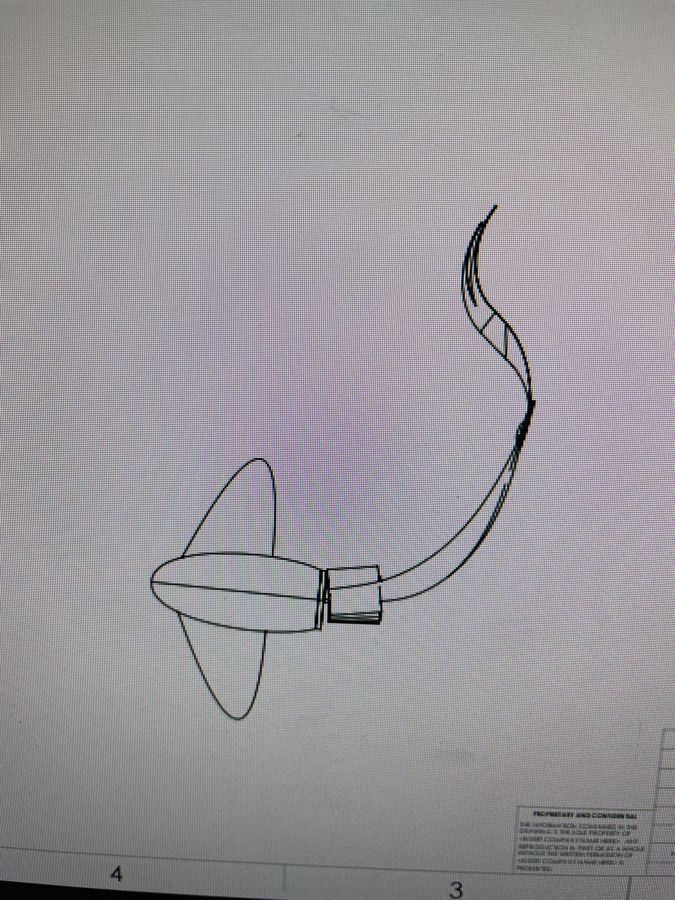
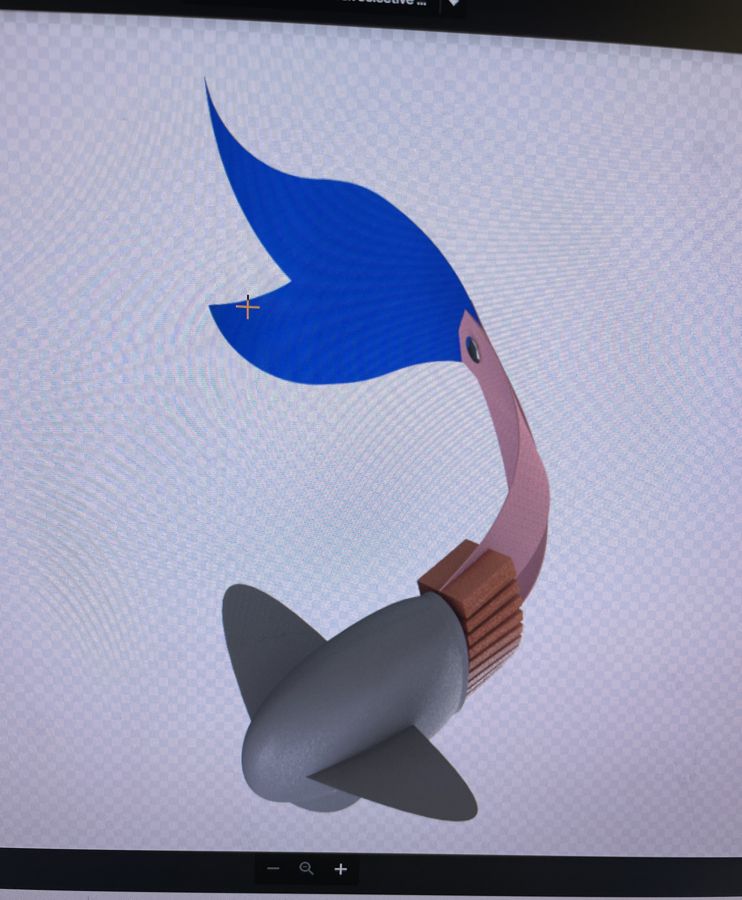
Graduate research at the Xi Chen Lab, Columbia University, on fast-swimming soft robotic fish driven by a pre-stressed bi-stable "hair-clip" mechanism. Published as a co-authored preprint (arXiv:2206.14867).

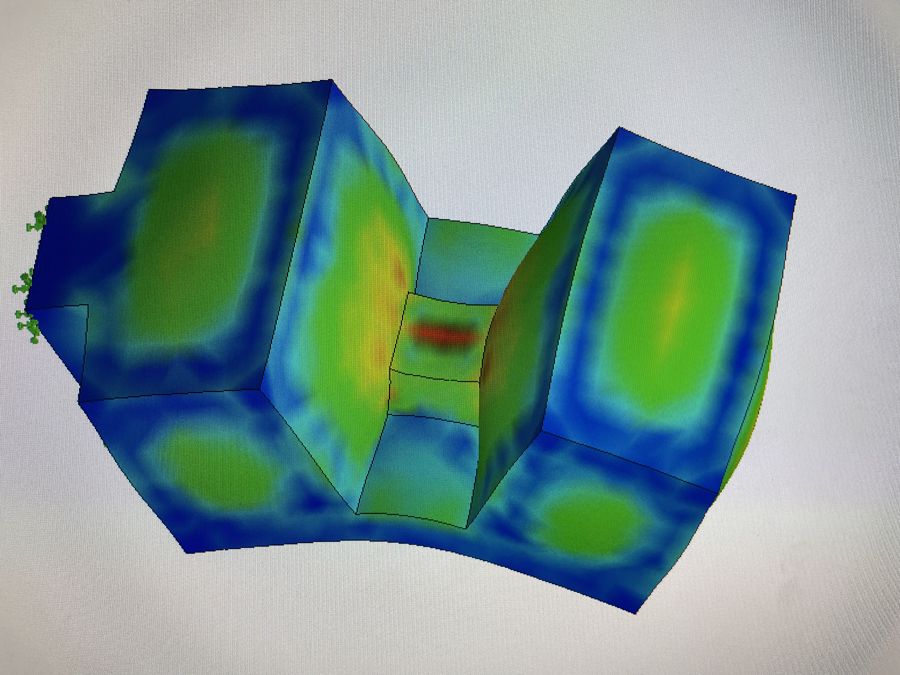
My work centered on the actuation. I built and compared two designs — a pneumatic-only fish and a pneumatic/SMA (shape-memory-alloy) hybrid — to find which made the fish swim fastest, prototyping each (CAD, 3D printing, silicone molding) and running them on a custom pneumatic test bench (solenoid-valve manifold, regulators, DC supply). The silicone actuators ballooned and leaked at higher pressures and faster actuation, so I used FEA to locate the high-stress regions behind that failure and fed the results back into the mold geometry to reinforce them. The pneumatic-only drive came out ahead.

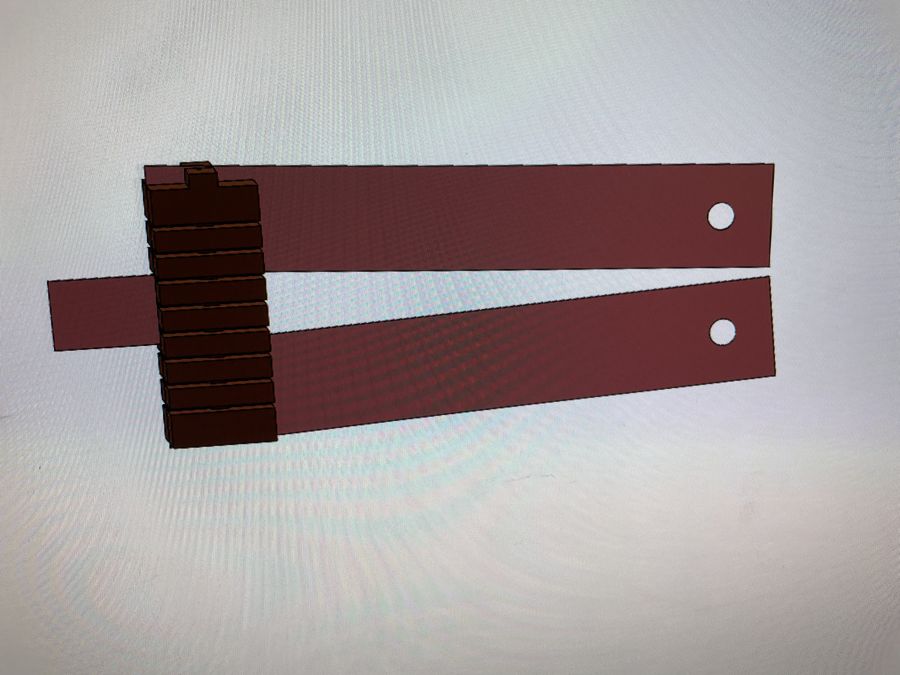
I also ran a characterization study on the bi-stable mechanism itself, laser-cutting and testing it across a range of materials and dimensions. Those results helped establish that its swing amplitude is scale-independent — one of the paper's key findings.

My other main contribution was the body design. I reworked it with internal cavities to set the fish's buoyancy and center of gravity so it tracked in a straight line, removing the external foam float earlier prototypes had relied on. That was the change that unlocked the speed: the pneumatic fish reached 1.40 body-lengths per second, a 2× improvement.
▶  Swimming
Process & analysis
02 / 06

Quadruped Robot — Independently Actuated Legs

A four-legged robot with independently driven legs — I designed all the hardware and topology-optimized the legs (nTopology).

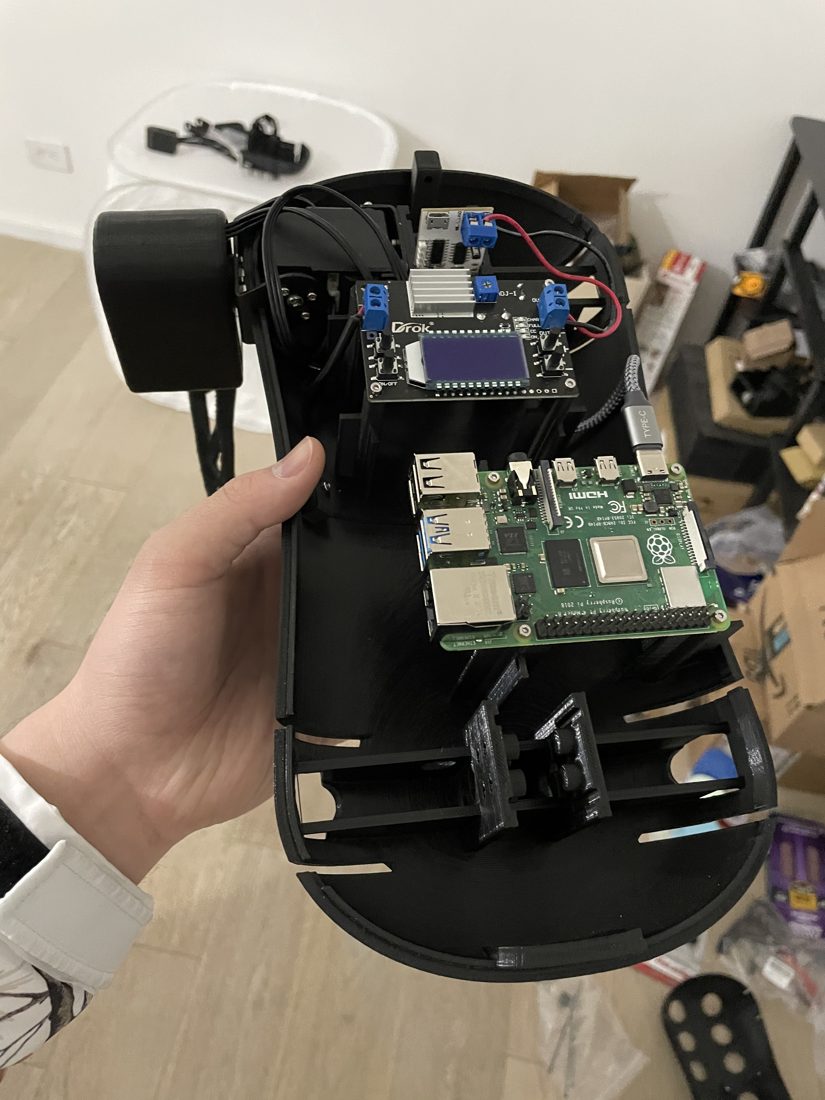
Assembled quadruped held in hand, Raspberry Pi and electronics mounted in the printed body
Assembled build — electronics mounted

A two-person project to design and build a four-legged walking robot with four independently driven legs, running on a Raspberry Pi. I owned the full hardware and mechanical design; my teammate handled the control software and URDF simulation.

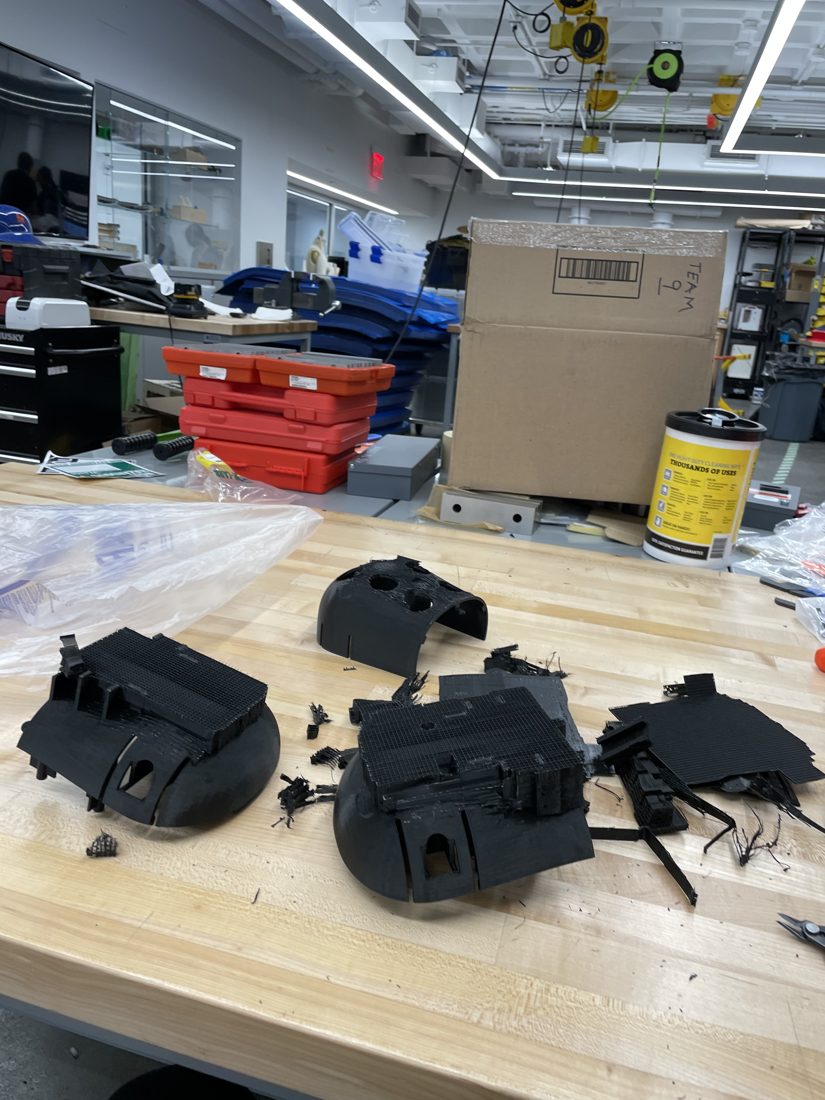
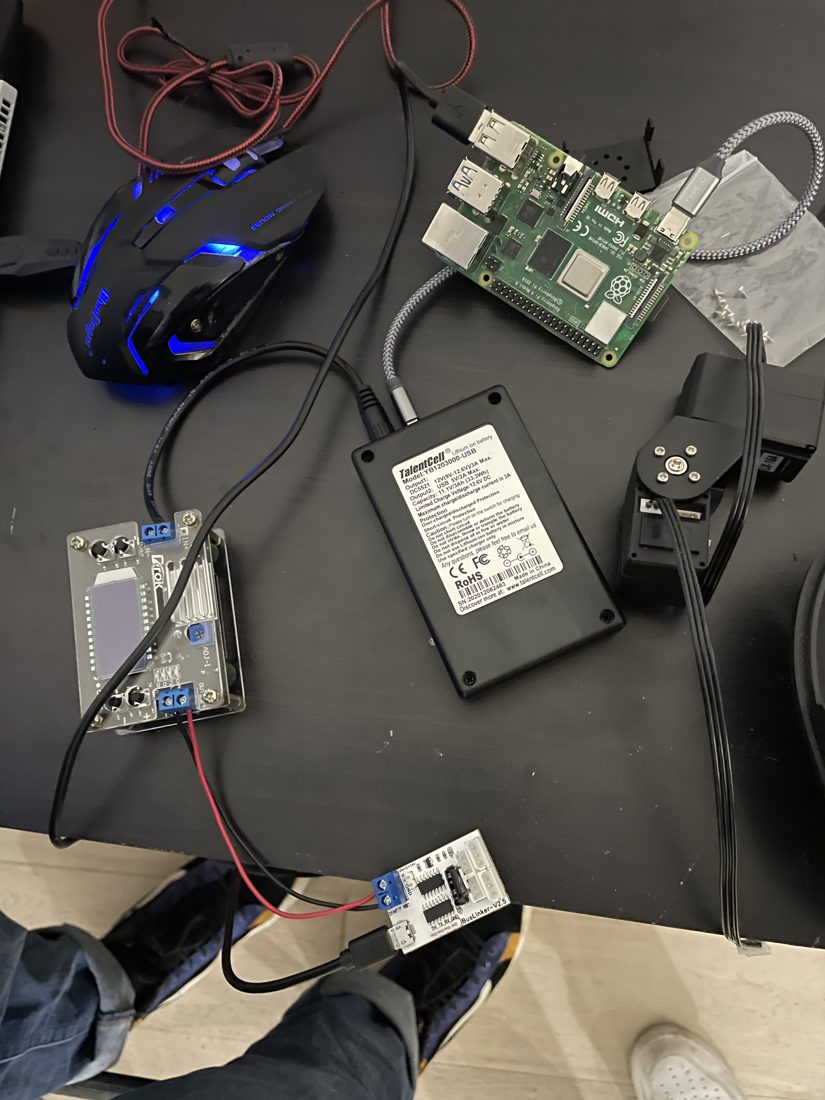
I designed and 3D-printed the chassis and legs, planned the internal layout and mounting of all the electronics (Raspberry Pi, power converter, battery, and the leg drive hardware), and made sure none of the printed structural parts interfered through the legs' full range of motion. Because a walking robot has to carry its own weight on swinging legs, I used topology optimization in nTopology to keep the legs as light as possible while preserving strength — which is why the legs have their organic, lattice-like form. For the body shell, I designed the lattice pattern by hand: I had seen topology-optimized shells before, but once de-molded they often come out as just a few thin struts that look unappealing, so I modeled the cutout lattice manually to get the strength and weight savings I wanted while keeping it visually clean. My teammate validated the gait in URDF simulation in parallel with the physical build.

▶  In motion
Build
3D-printed chassis and parts on the workbench
3D-printed parts
Raspberry Pi and drive electronics laid out on the bench
Raspberry Pi & drive electronics
03 / 06

Jansen's Linkage Walker

A walking robot built on Jansen's 12-bar linkage — from GeoGebra kinematics to a motor-driven, laser-cut plywood walker.

Final motor-driven Jansen linkage walker, side view
Final build — legs on both sides

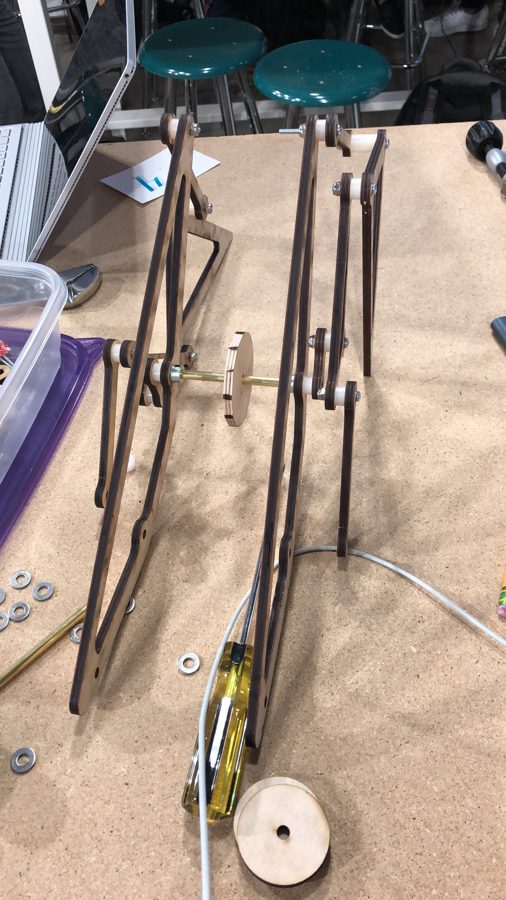
A team project to design and build a walking robot based on Jansen's linkage — the twelve-bar leg mechanism that converts a single rotating input into a smooth walking gait. I worked through the full pipeline from kinematics to a physical, motor-driven walker.

I first studied and tuned the linkage in GeoGebra, adjusting the bar-length parameters and tracing the foot path to get the gait I wanted. I then built the mechanism in SolidWorks, taking it from the 2D linkage to a full 3D assembly. Because every bar is a moving part, the key constraint was avoiding interference: I placed the links across separate, dedicated planes so that the legs could swing through their full range without colliding. I validated the motion with a SolidWorks motion study before fabrication.

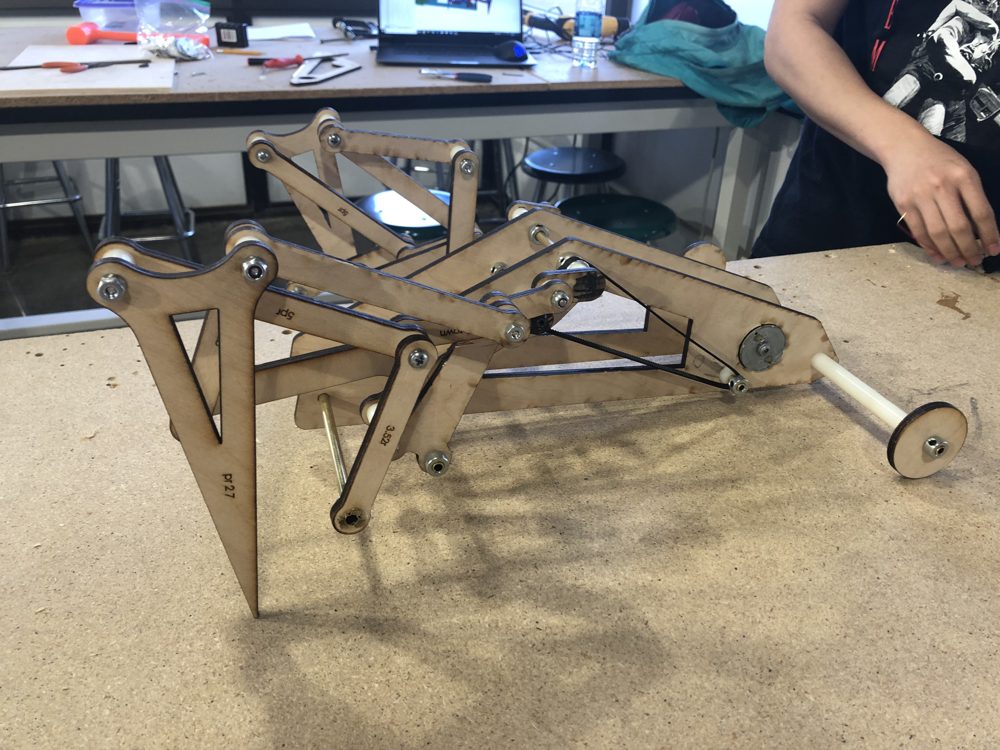
The parts were laser-cut from plywood. To minimize waste, I nested the cut layout tightly — fitting smaller links inside the cut-outs of the larger pieces. The first prototype used a large hand-cranked wheel to drive the linkage manually and verify the gait; I then iterated to a wider, motor-driven version with legs on both sides for a stable walking stance.

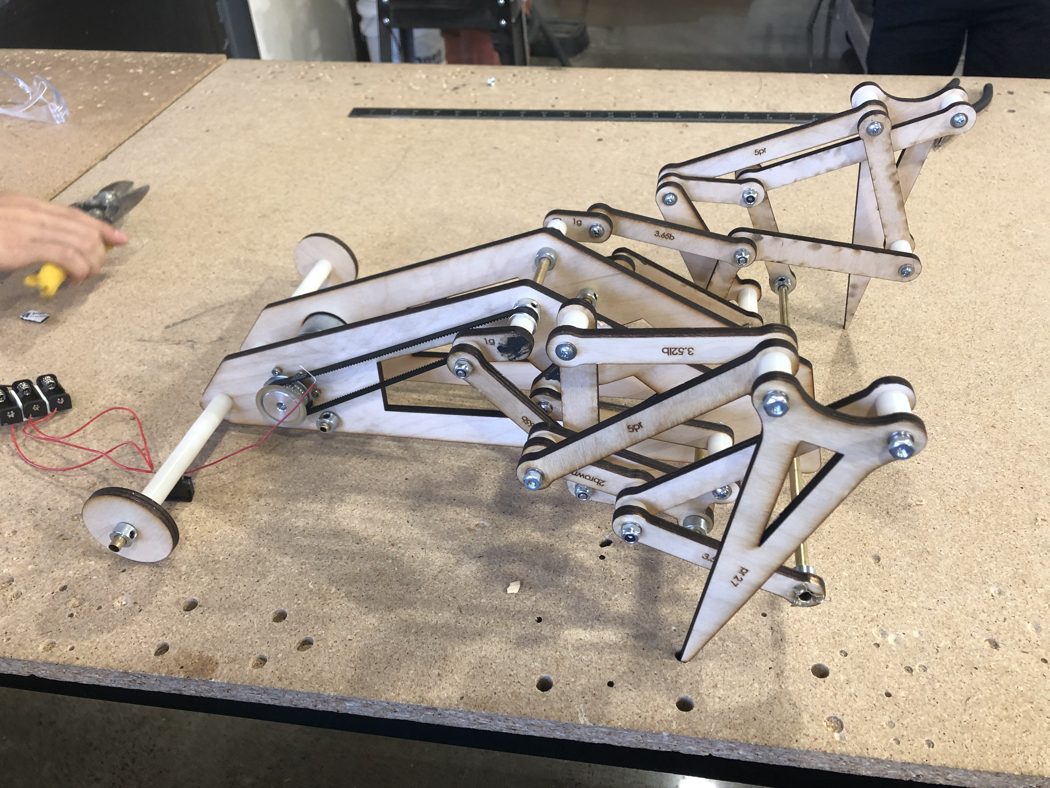
Manual prototype (v1)
First hand-cranked Jansen linkage prototype
v1 — hand-cranked; the center disc stands in for the motor
Final build — other side
Final Jansen linkage walker, other side view
Final build (other side)
▶  SolidWorks motion study
04 / 06

Robot Fish (UC Irvine)

Led a 5-person team building an untethered servo-driven robot fish — reworking the silicone tail by hand until it swam.

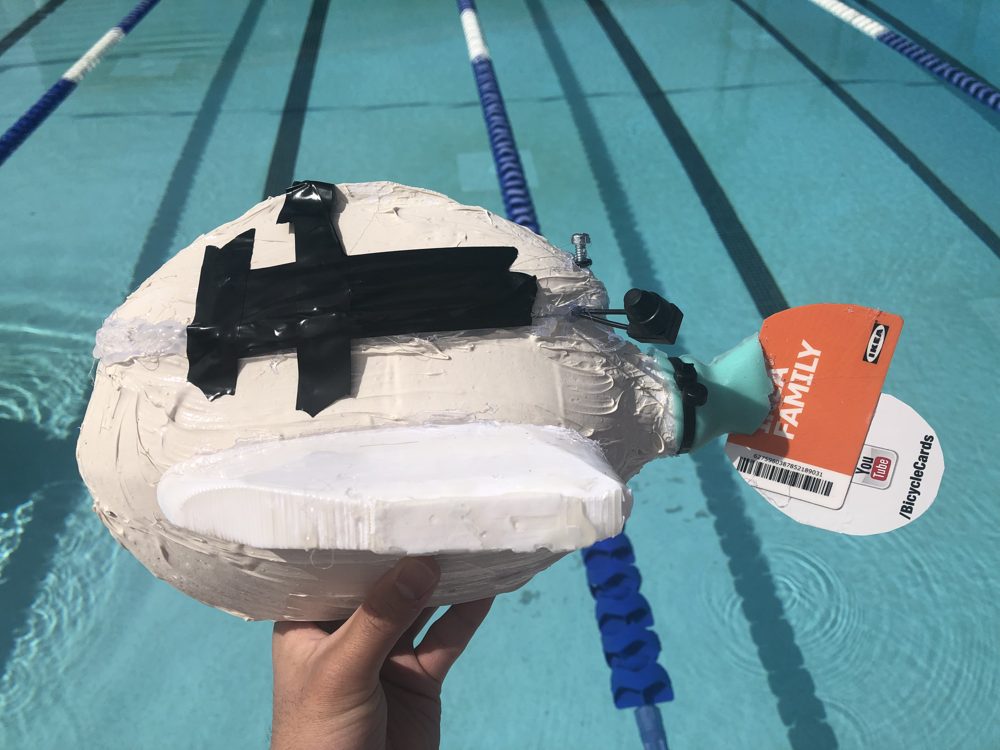
Finished waterproofed robotic fish build
Finished build (waterproofed)

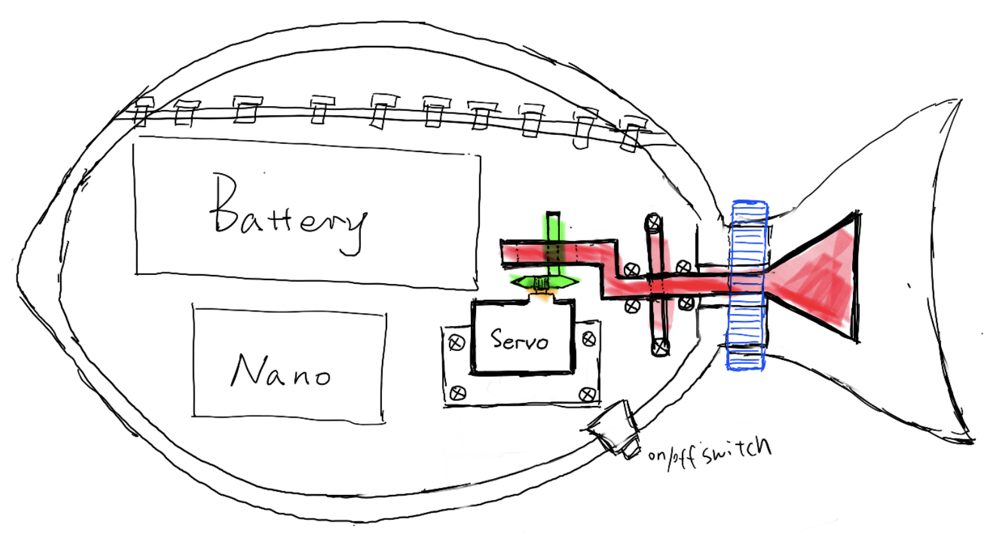
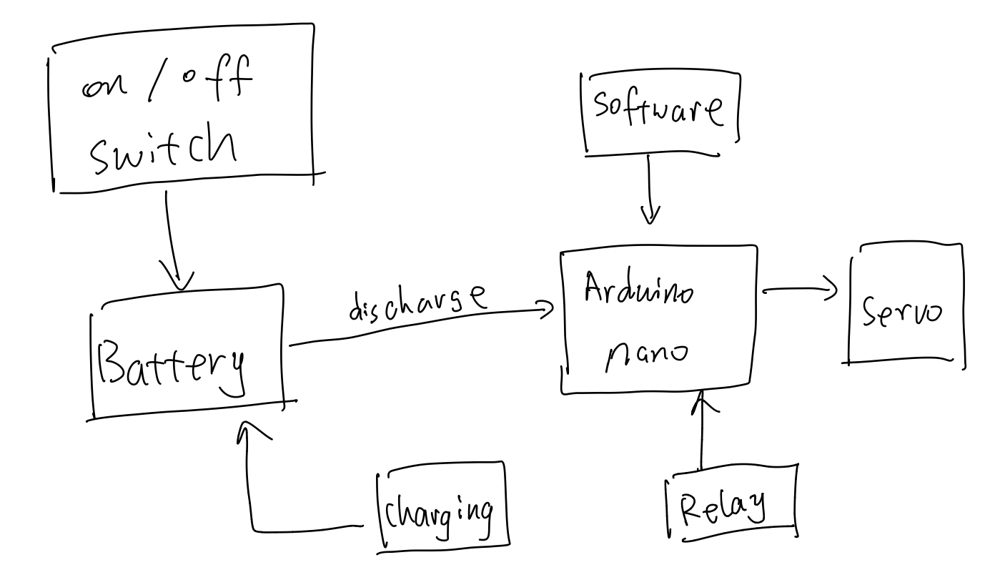
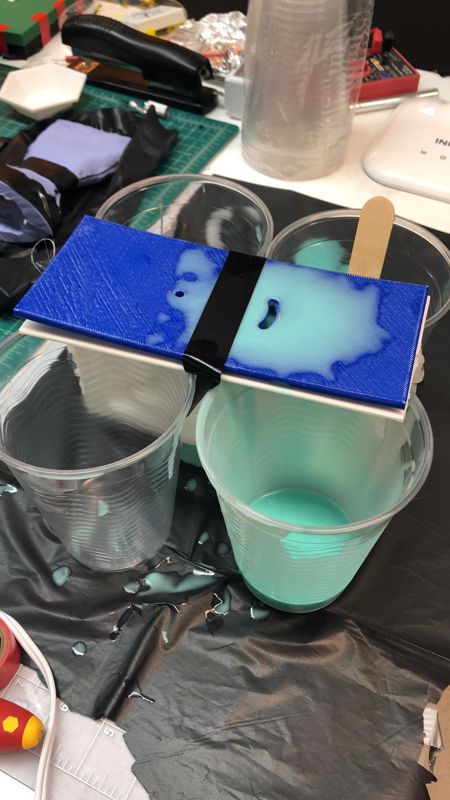
Led a 5-person team to design and build an untethered, servo-driven robotic fish from scratch — driven by an Arduino Nano, a single servo, and a battery, all housed inside a 3D-printed body. I designed the body in SolidWorks and optimized the skeleton for structural integrity and FDM printability.

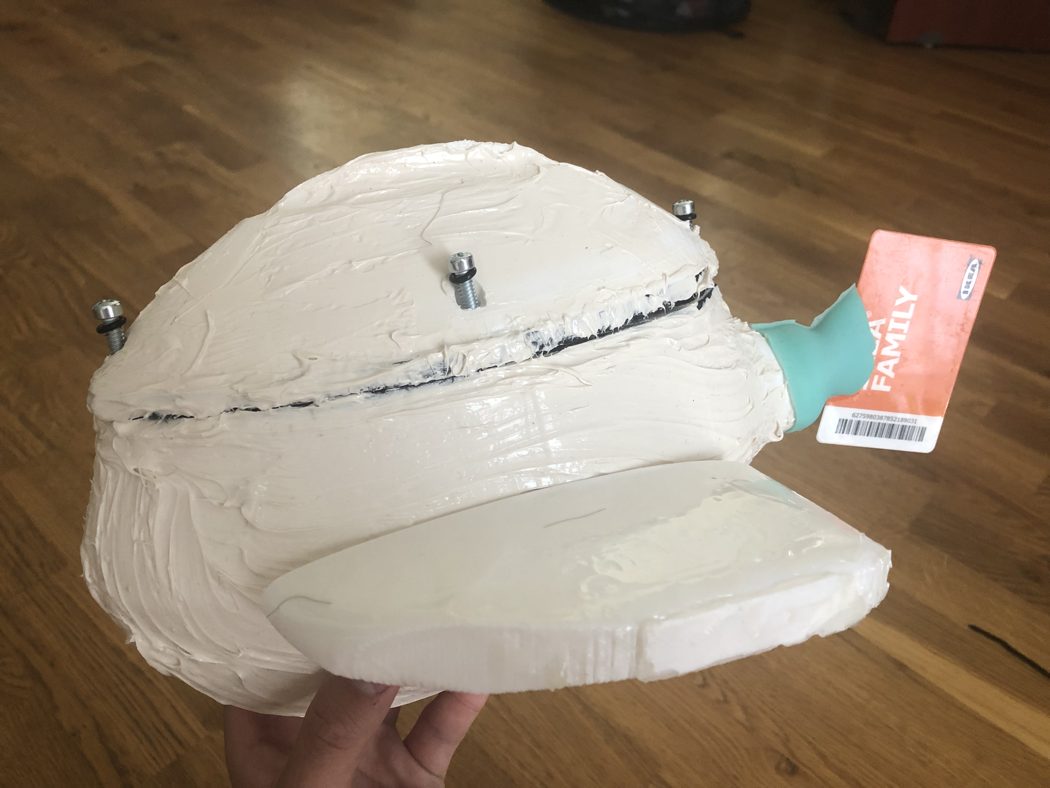
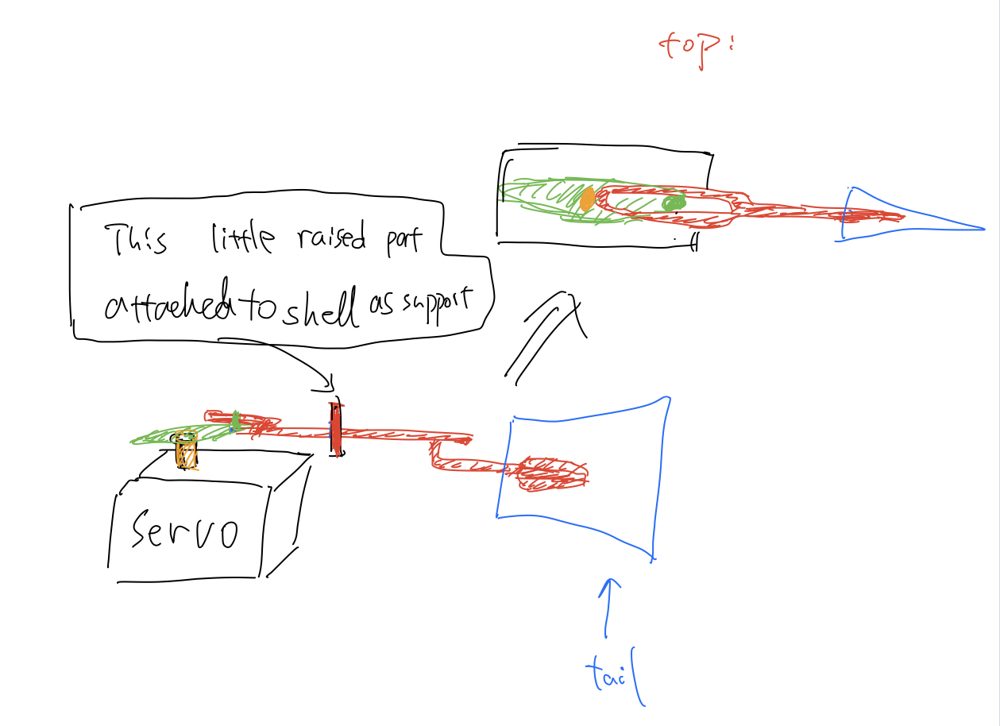
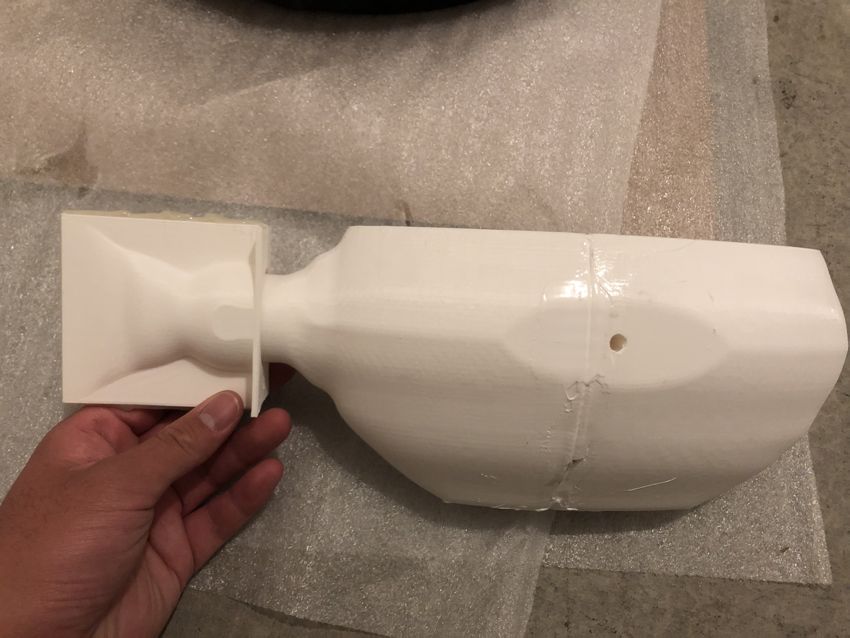
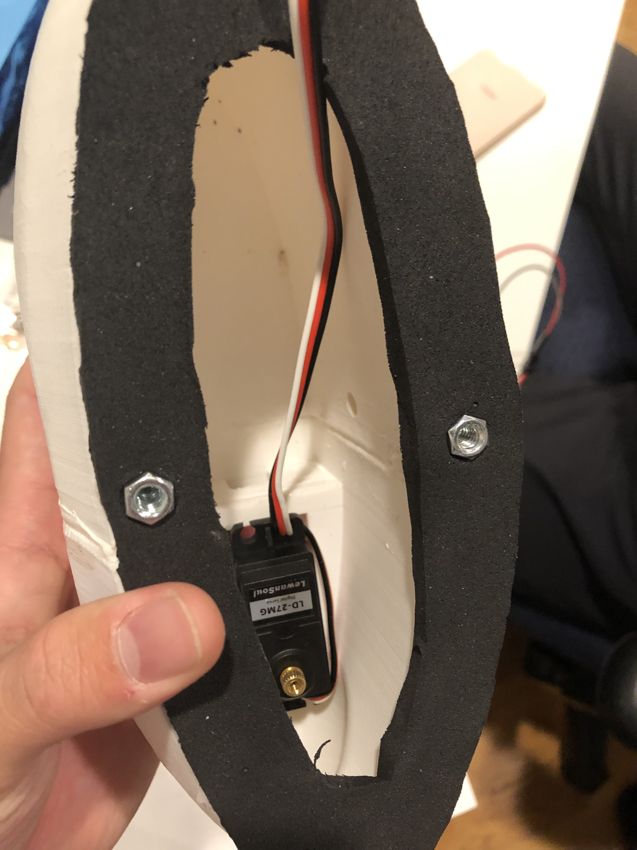
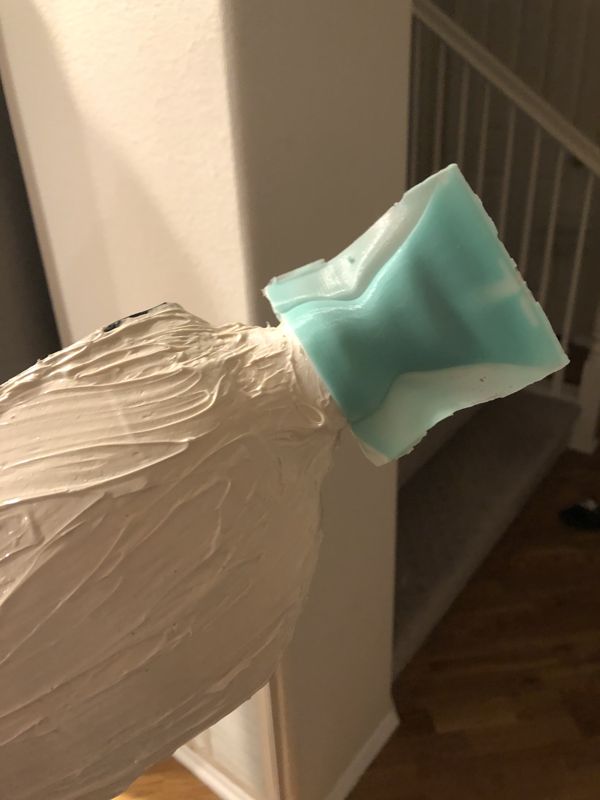
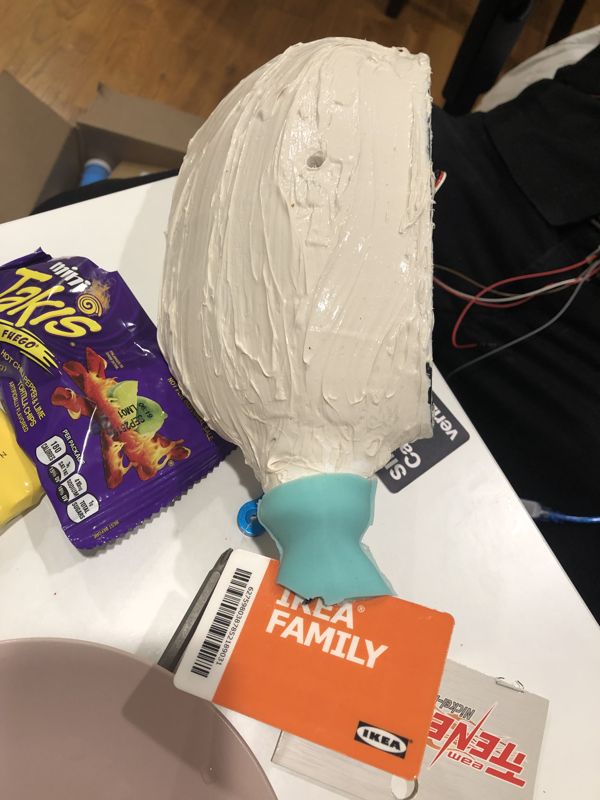
Much of the work was hands-on prototyping and iteration, especially on the tail. The first design used a pure-silicone tail swung by an internal servo-driven lever, but it came out too soft to push effectively. Under a tight budget I cut off the rear half of the silicone tail and coupled a stiff waterproof card directly to the internal linkage, so the linkage flaps the card as the working surface — then iterated the card into a C-shaped profile for the contact area a flat card lacked. The front section of silicone I kept, repurposed as a waterproof seal where the linkage exits the body. Inside the body, the servo linkage didn't fit the way the CAD assumed, because the actual rod stock I could source didn't match the designed dimensions; I reworked the internal cavity by hand (heat-forming and hollowing it out) to make the available hardware fit. Final waterproofing combined molded silicone with a waterproof coating over the printed body.

Design
Build
Silicone & waterproofing
Swim test
The finished robotic fish at a pool test
Pool test
05 / 06

Intelligent Ground Vehicle (UC Irvine, IGVC)

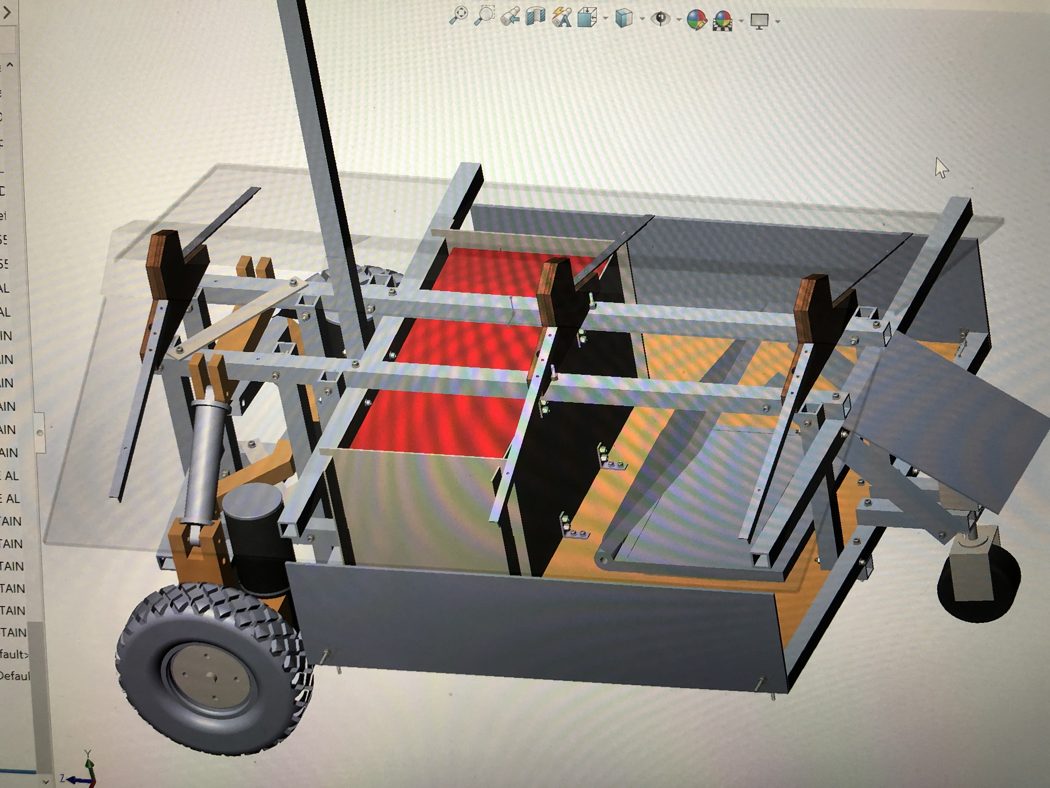
Designed the chassis and front suspension for UC Irvine's autonomous IGVC vehicle — fitting a double-wishbone around bulky gearmotors.

SolidWorks CAD assembly of the IGVC chassis and suspension
CAD assembly — chassis & suspension

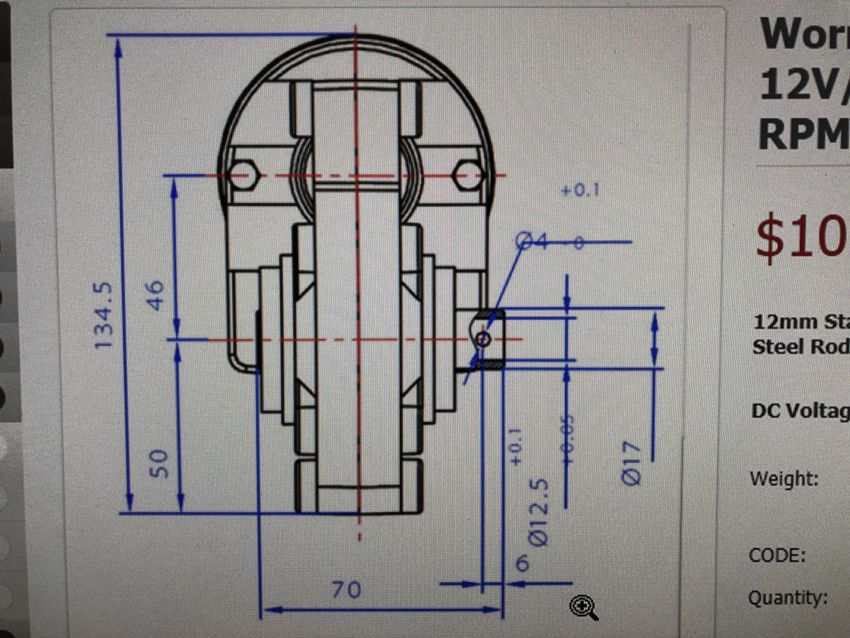
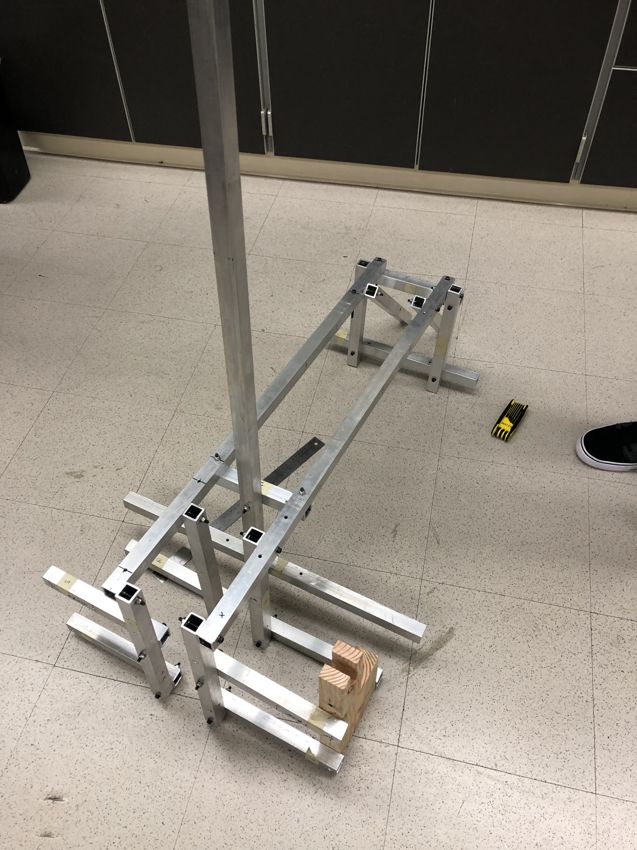
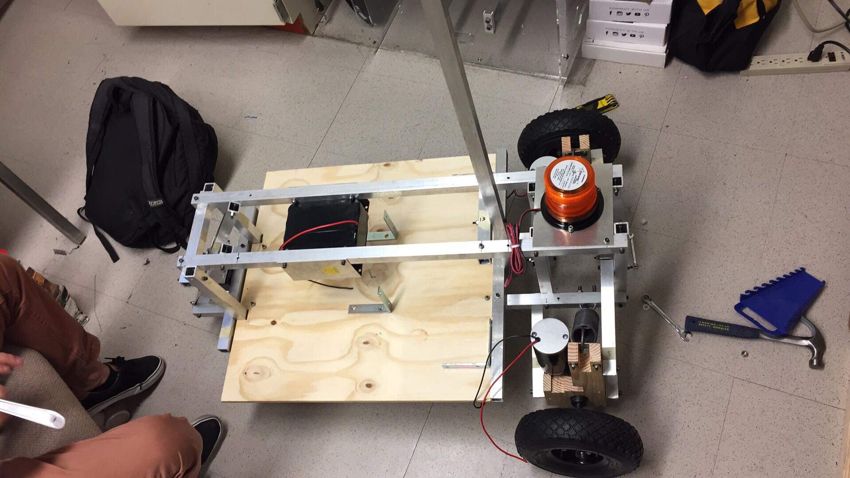
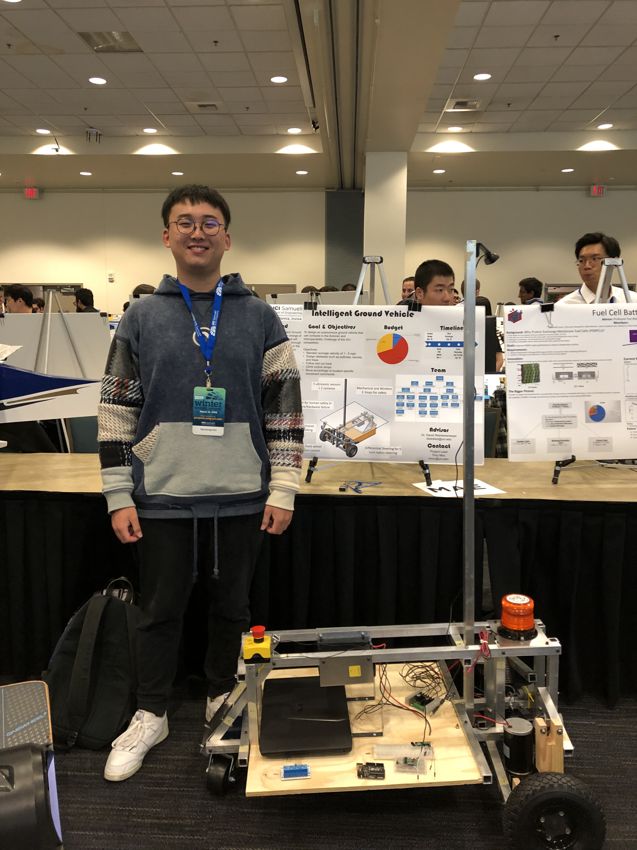
Chassis and suspension design engineer for UC Irvine's entry in the Intelligent Ground Vehicle Competition — a multi-quarter team project building an autonomous ground vehicle that follows a track, dodges barrels and potholes, and climbs incline ramps at 1–5 mph. The vehicle was driven by two 12 V DC worm gearmotors on the front wheels, with differential steering for a zero-turn radius.

I designed the aluminum-frame chassis and its front-wheel independent suspension. The core challenge was packaging the suspension around the bulky worm gearmotors, so I adapted a double-wishbone layout: a wishbone (A-arm) lower control arm, a single-link upper arm (a beam rather than a second A-arm), and a coil-over damper canted with its upper mount outboard and lower mount inboard — all to clear the motor body while carrying the payload and absorbing terrain vibration at minimum weight. I built the full assembly in SolidWorks and ran targeted FEA spot-checks to locate the main load points and confirm the aluminum frame was stiff enough, verifying that no added gussets or bracing were needed. I then carried the design through to the physical aluminum build.

Design
Build & competition
06 / 06

Autonomous Robot

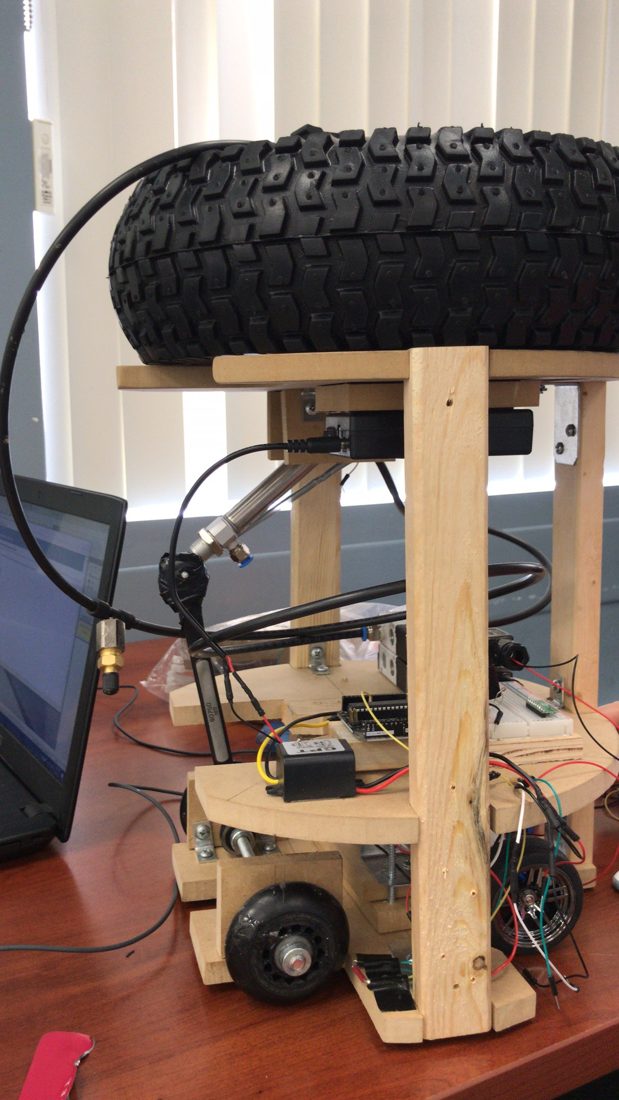
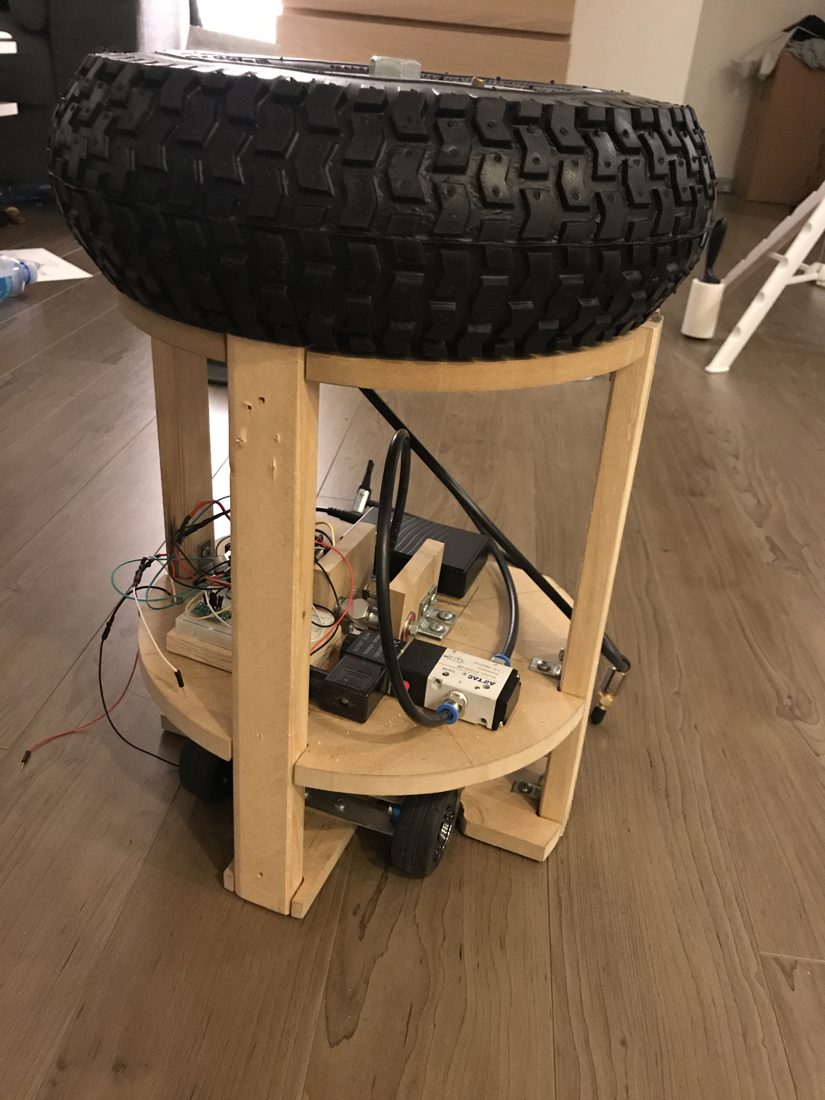
My first from-scratch robot — a self-contained pneumatic cart that became the platform every later project grew from.

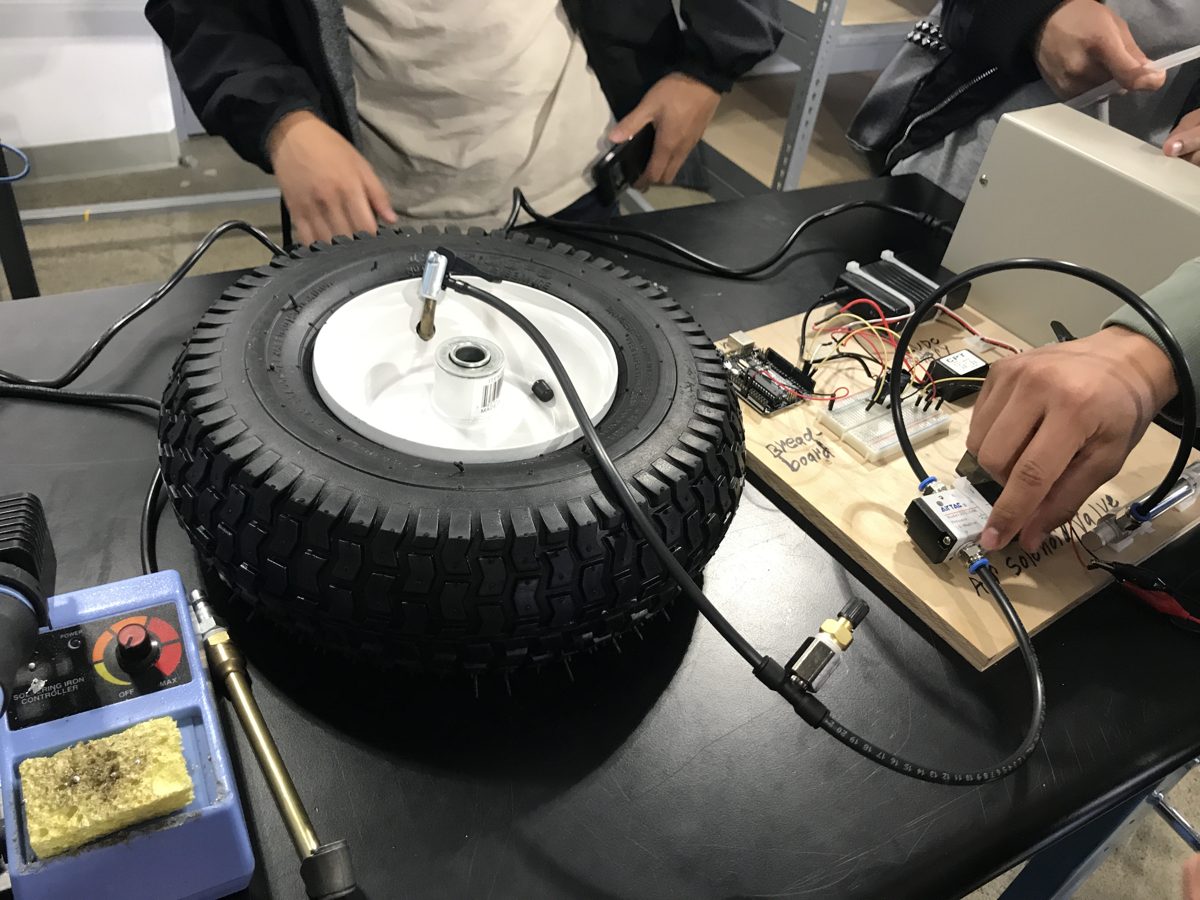
Pneumatic and control bench with the air-reservoir tire and solenoid valve
Pneumatics & control bench

This was the first robot I built from scratch, and it became the base platform everything else grew out of — both the ground vehicle and the robotic fish started from what I learned here.

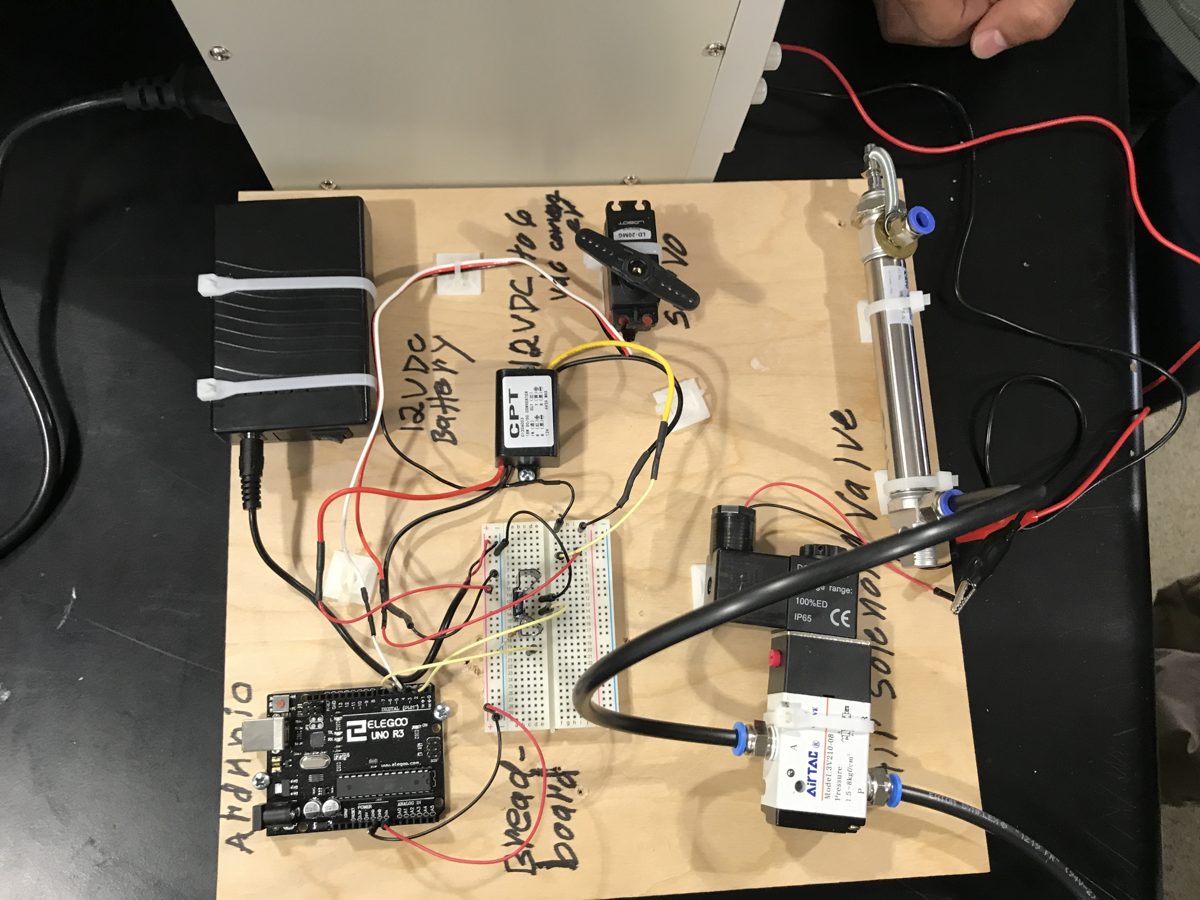
The cart is fully self-contained and runs untethered. Compressed air is stored onboard in a large tire mounted on top, which serves as the air reservoir, while a 12V battery powers the electronics. An Arduino times the cycle and switches an AirTAC solenoid valve to release air on each stroke, driving a pneumatic cylinder back and forth. Steering is handled separately by a servo: after the cart covers a set distance, it reads its heading from an onboard compass and the servo corrects its course, so it holds a straight line with no driver.

Turning that back-and-forth stroke into forward travel went through two iterations. The first drive used a one-way ratchet wrench: on the push stroke the cylinder advanced the cart, and on the return stroke the ratchet freewheeled, so the wheels didn't roll backward. It worked, but too much energy was lost in the mechanism — so I redesigned it to push directly against the ground on each stroke, which proved more efficient. I designed and built the wooden chassis, mounted and routed all of the pneumatics and electronics, and tuned the drive geometry so each stroke reliably produced motion.
▶  In action
Drivetrain — v1 → v2
Cart with the first one-way ratchet-wrench drive
Drive v1 — one-way ratchet wrench
Cart redesigned to push directly against the ground
Drive v2 — pushes directly against the ground
Onboard electronics
Labeled control board: Arduino, battery, converter, servo, solenoid valve, cylinder
Electronics & pneumatics, labeled
(03) Product Design
01 / 02

Over-the-Sink Kitchen Waste Rack

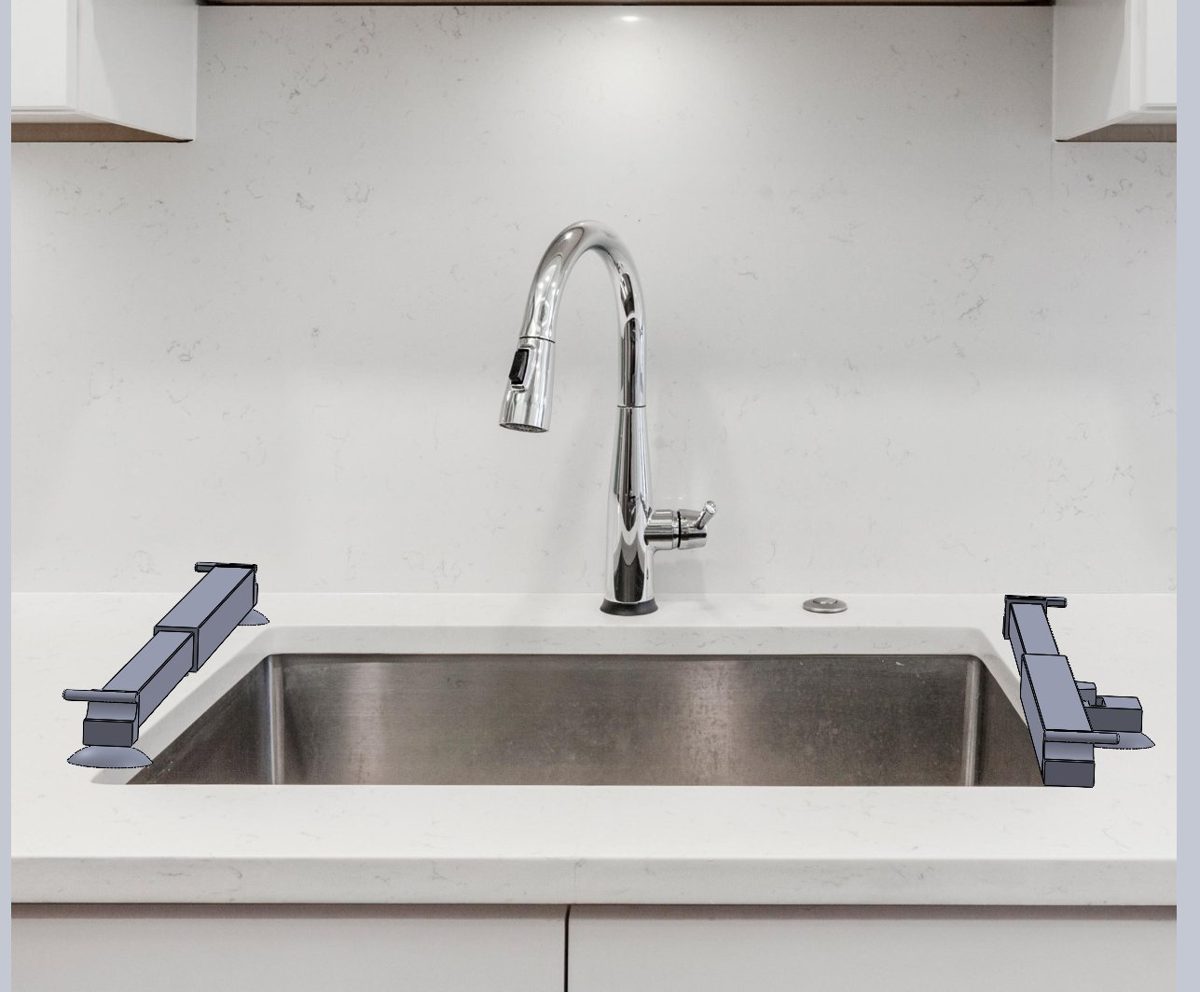
An over-the-sink waste rack I designed for my own kitchen — adjustable to any sink, taken from concept to full CAD.

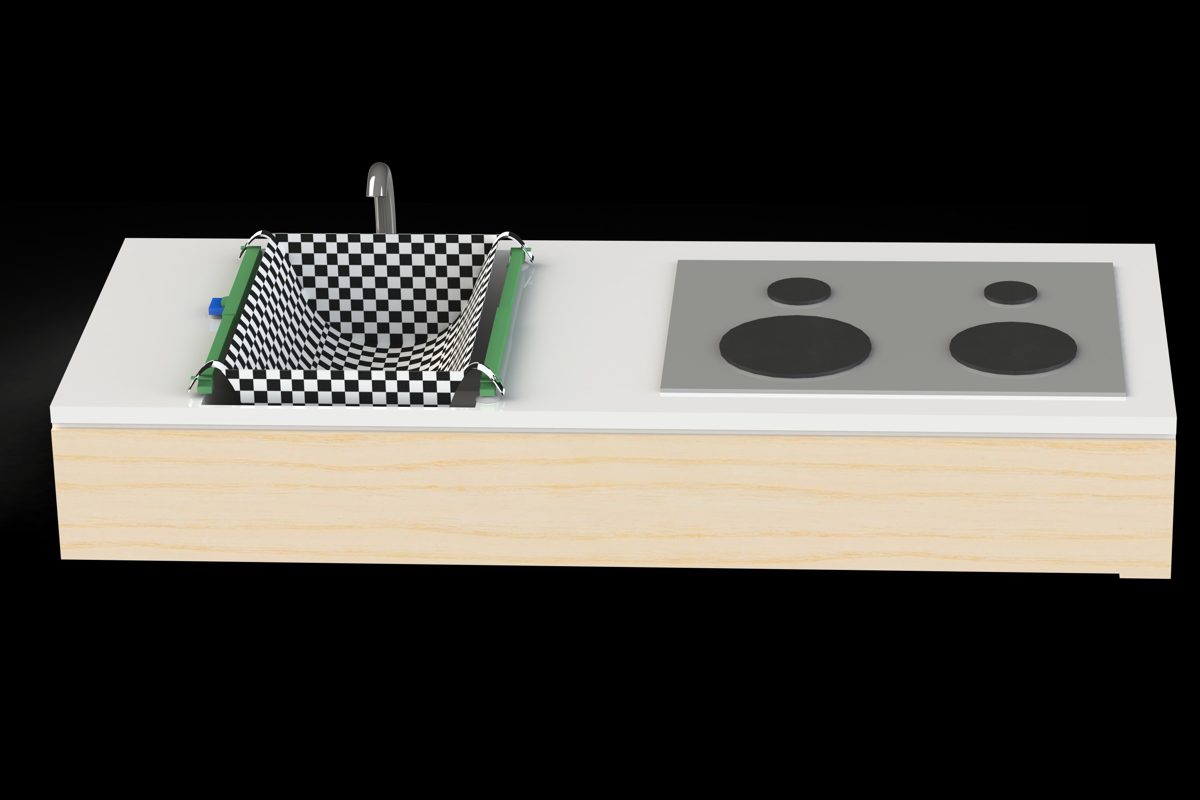
CAD model of the waste rack mounted on a real kitchen sink
Concept fitted to a real sink

This started as a problem in my own kitchen. I live in an older New York building where the plumbing won't allow a garbage disposal, so every food scrap has to go in the trash. A lot of what I cook is broth-based, and wet scraps are genuinely annoying to deal with — no matter how much you shake them out, water stays behind, leaks through the bag, and the bin gets dirty and starts to smell. My workaround was draining everything by hand and double-bagging, which is tedious and wasteful.

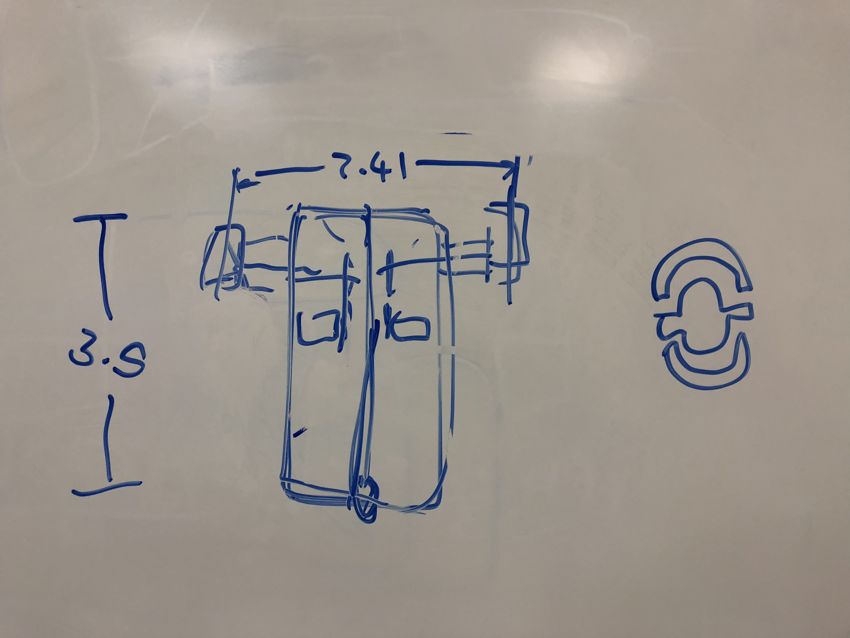
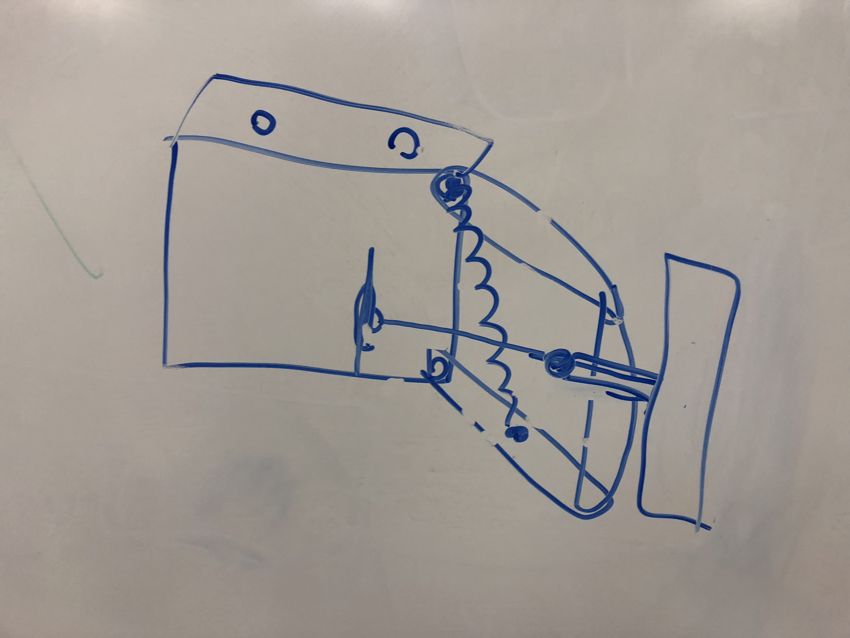
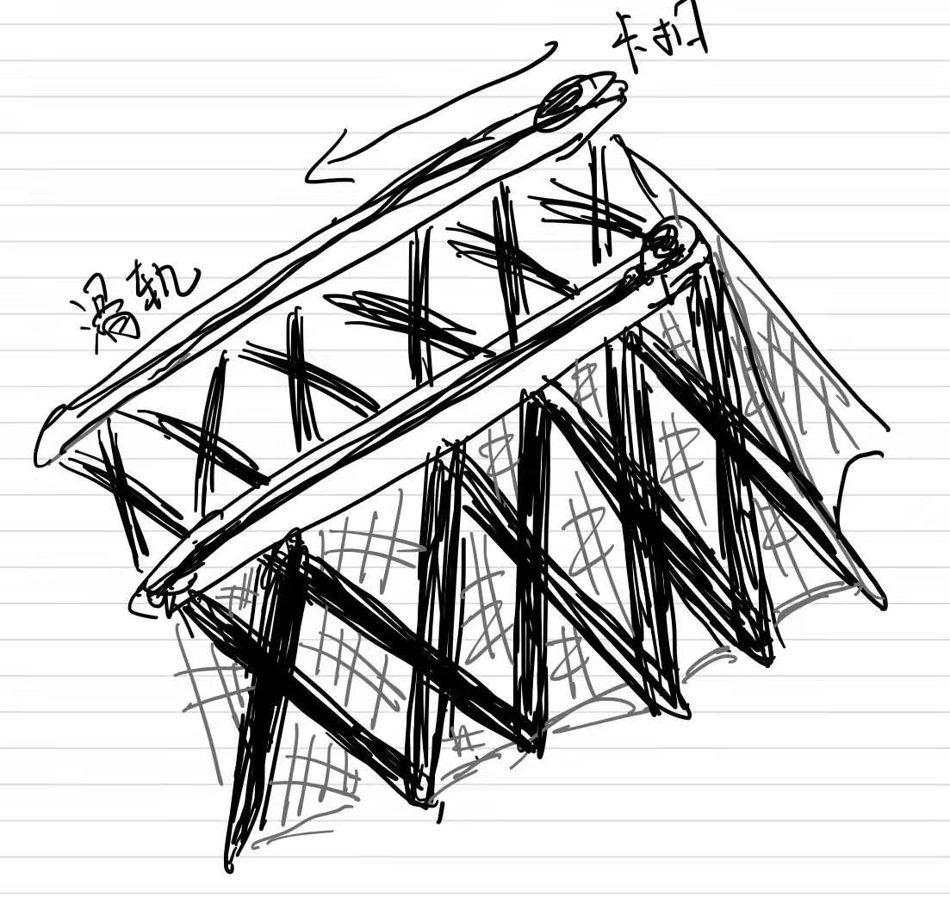
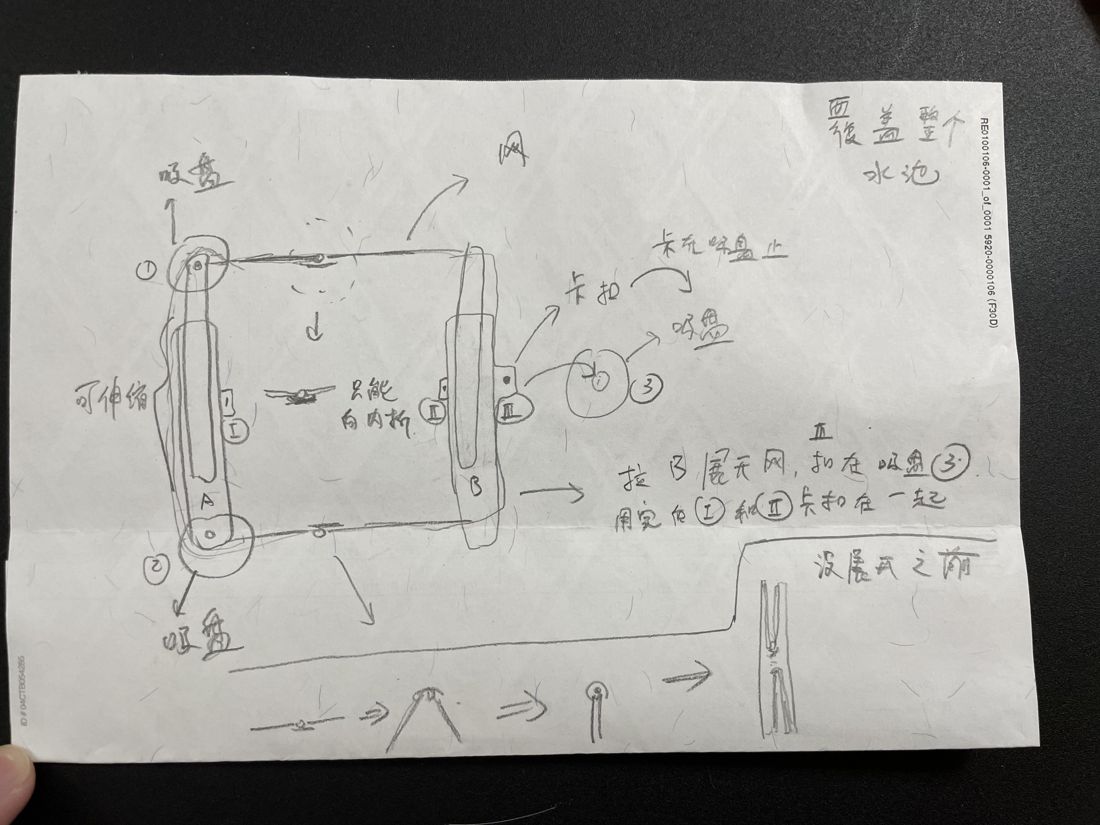
So I designed a rack that mounts across the sink on suction cups and holds a mesh bag open above the drain. Two arms sit on the countertop edges on either side of the basin, and to fit different sinks I made the span adjustable — the arms extend and retract on a sliding rail, then lock with a catch so the frame stays rigid once it's sized to your sink. You stretch the mesh bag open across the frame and clip it in place; wet scraps go straight in, the water drains through the mesh into the sink, and the solids stay caught in the bag. When it's full, you lift out a drained, nearly dry bag and drop it straight in the trash — no leaking, no double-bagging. When it isn't in use, the arms retract and the whole thing packs flat.
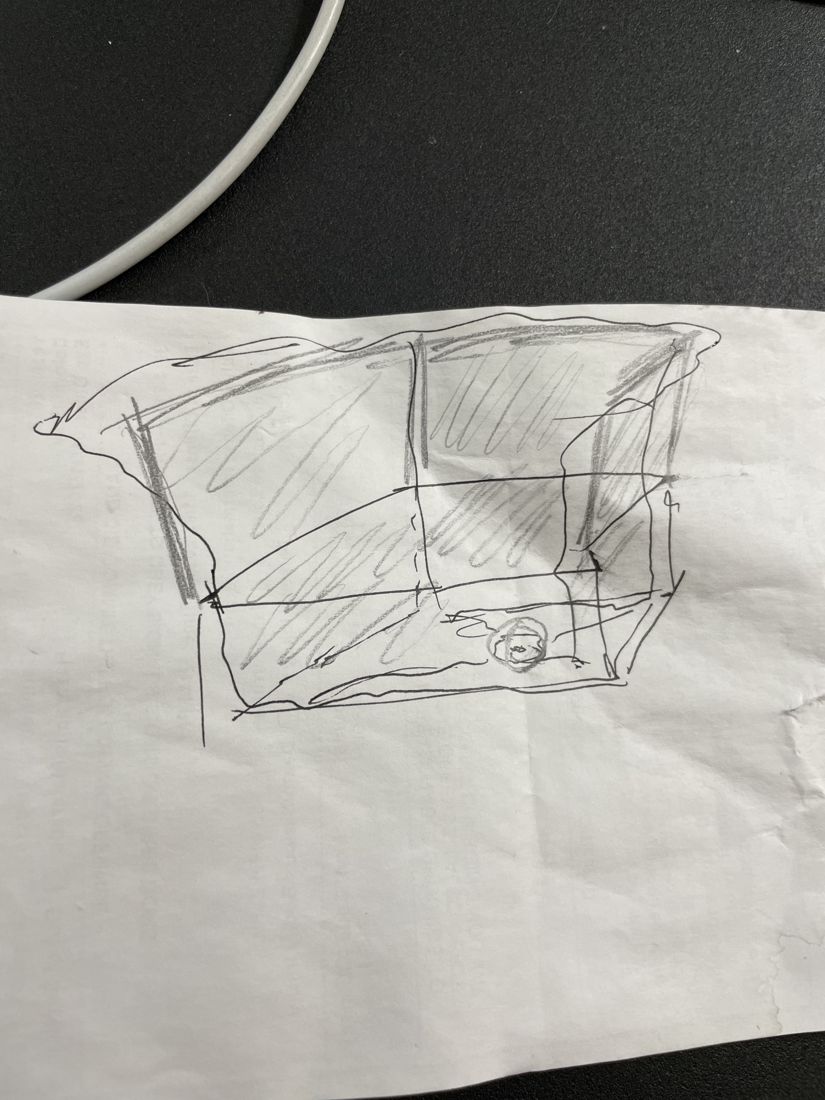
I took this from concept sketches through a working mechanism design and a full CAD model. I looked for an existing product that solved this and couldn't find one, which is why I designed it. For me this project is about a simple idea: a lot of everyday problems don't need more technology, they need a better-applied solution — here, rethinking the design logic of something as ordinary as taking out the trash.
Process & detail
02 / 02

Motorcycle Trip-Computer Mount

A trip-computer mount for my KTM — 3D-scanned and modeled in SolidWorks, then iterated v1→v2 to a stronger hold.

The finished mount installed on the motorcycle handlebar
Mounted on the bike (final)

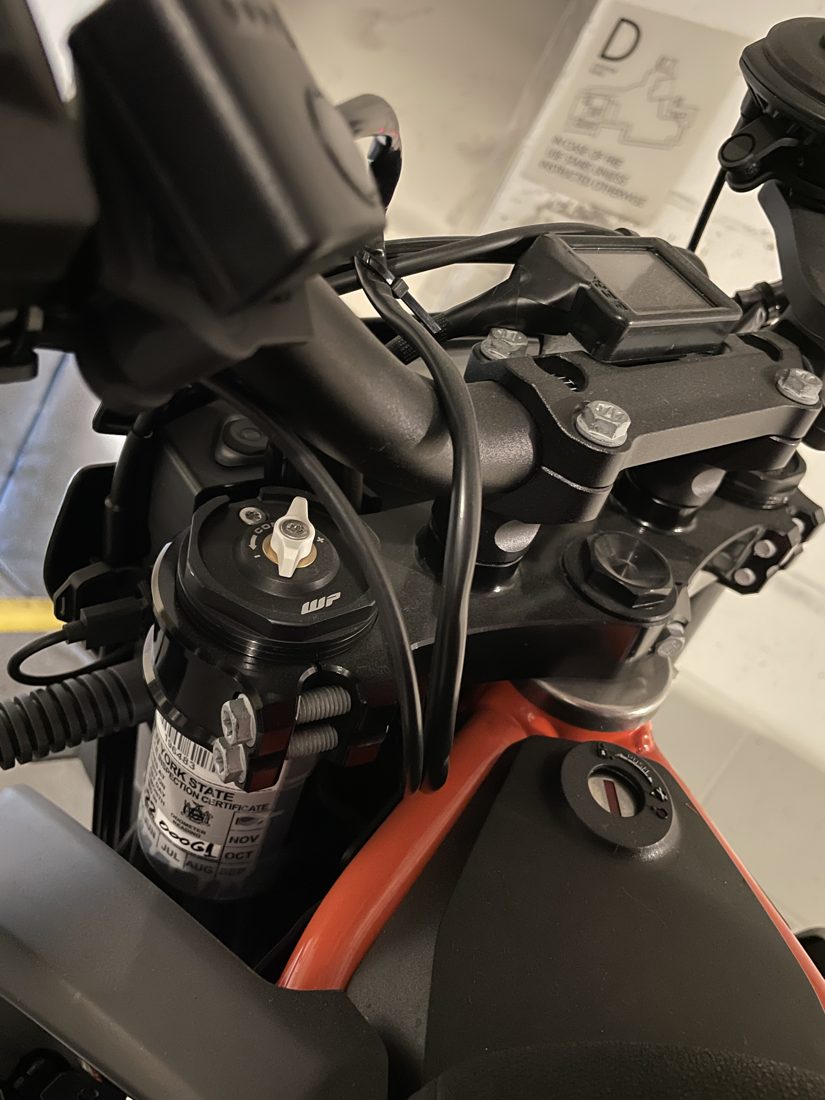
My KTM 690 SMC R doesn't come with a tachometer from the factory. I found a small aftermarket trip computer that can serve as one, but it ships with no bracket — it's meant to be mounted however you like — so I designed and 3D-printed my own mount for it.

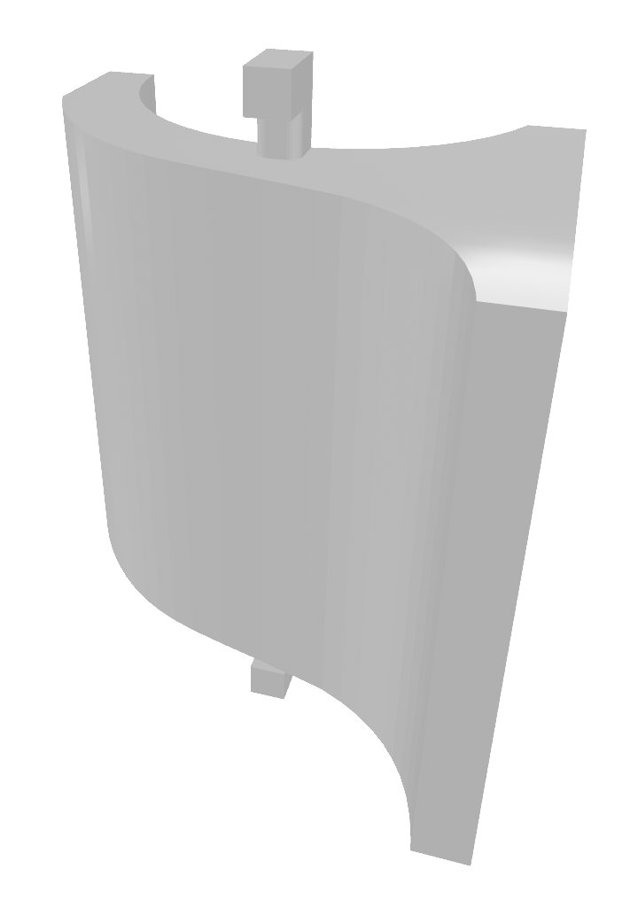
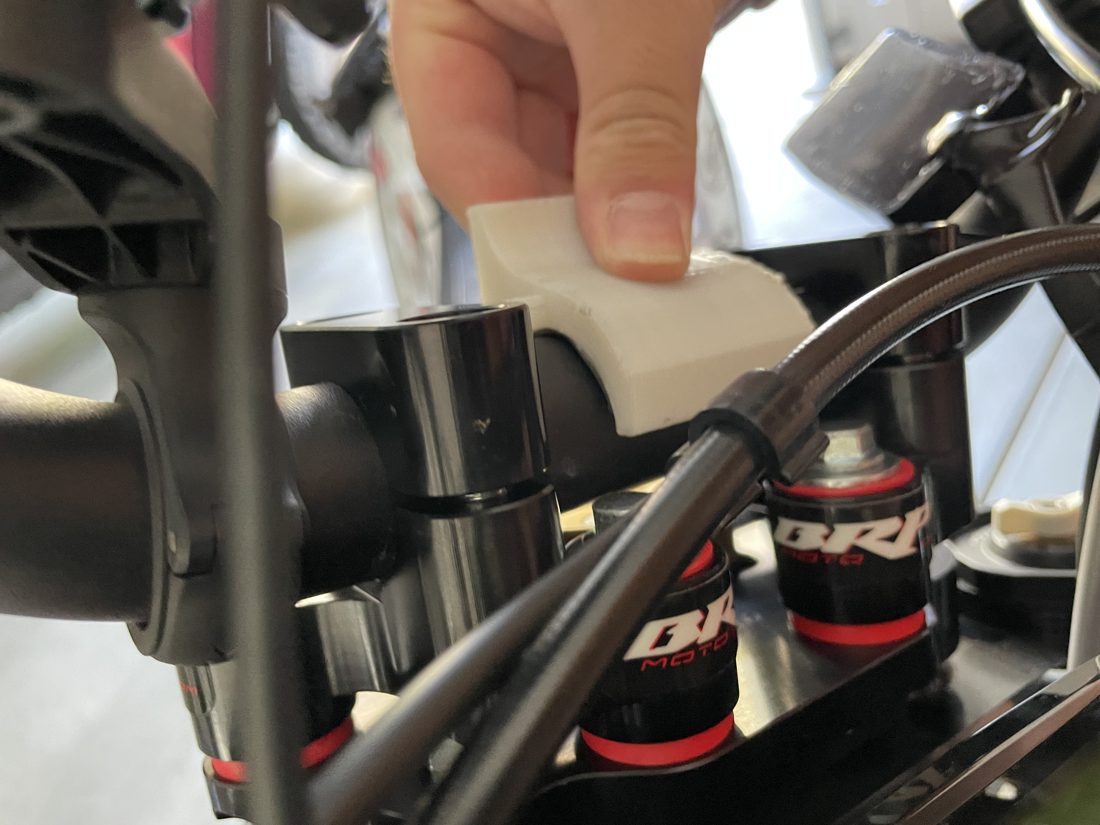
To get the geometry right, I 3D-scanned the handlebar area using my phone's scanner, brought that scan into SolidWorks, and modeled the bracket directly against the real bar profile rather than guessing at dimensions. The mount went through two iterations:

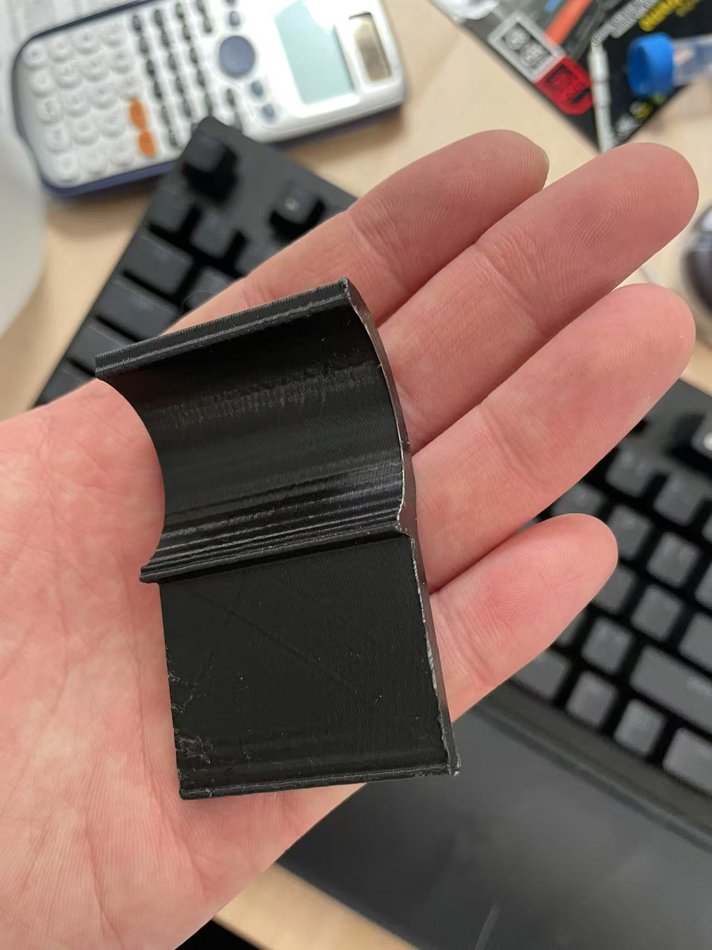
V1 (black): a curved section that wrapped around the handlebar and was bonded on with adhesive, with a square pocket on top to hold the trip computer's display. It worked, but relying on glue alone made it less stable than I wanted.

V2 (white): I addressed that directly. I added two small tabs so the mount could be secured a second way — zip-tied physically to the bar in addition to the double-sided tape — which made it far more solid. I also rotated the display-mounting face 90° relative to v1 — instead of lying flat along the curved bar clamp, it now meets that curve at a right angle — which gave a more sensible load path and held steady even in wind. And I angled the display face upward a little, so the reading angle is more comfortable while riding.

V2 was printed in white only because I'd run out of black filament — the color didn't matter functionally. Since I prefer black, I wrapped the finished part in black electrical tape, which also waterproofs it and keeps it visually consistent with the bike.

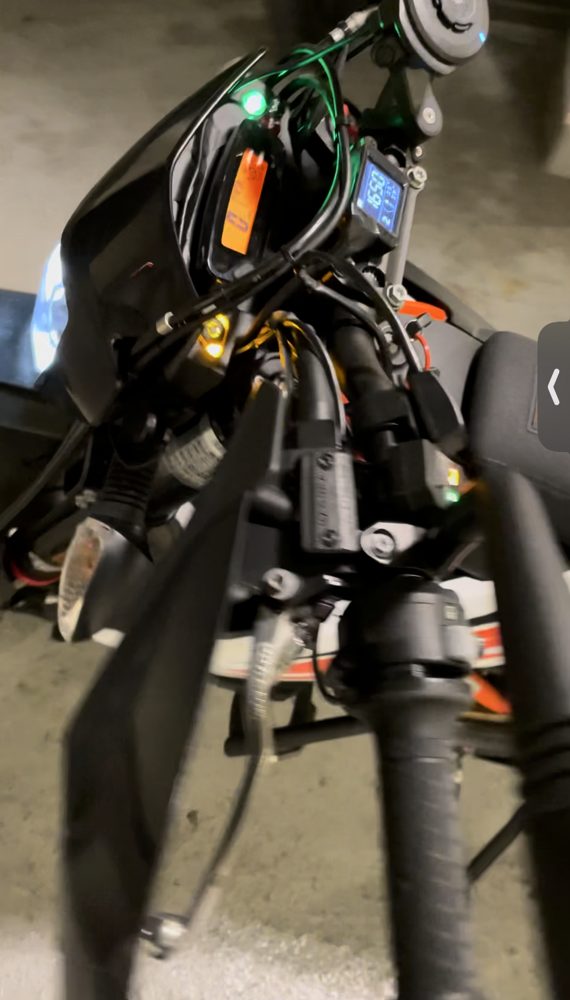
This is a straightforward demand-driven design: scan, model in SolidWorks, 3D-print, iterate twice, and it's been on the bike in daily use ever since. In the photos, the lit-up blue display is the trip computer mounted in the finished bracket.

CAD model
SolidWorks CAD model of the v2 bracket
CAD model (SolidWorks)
Iterations — v1 → v2
Black v1 mount held in hand, curved with a display pocket
v1 — black, glued (curved + pocket)
White v2 mount being fitted to the handlebar
v2 — white, tabs + face rotated 90°
On the bike
Trip computer mounted on the bike with the display lit
Display lit while running
(04) Vehicle Systems & Fabrication
01 / 03

Custom Forged Beadlock Wheel

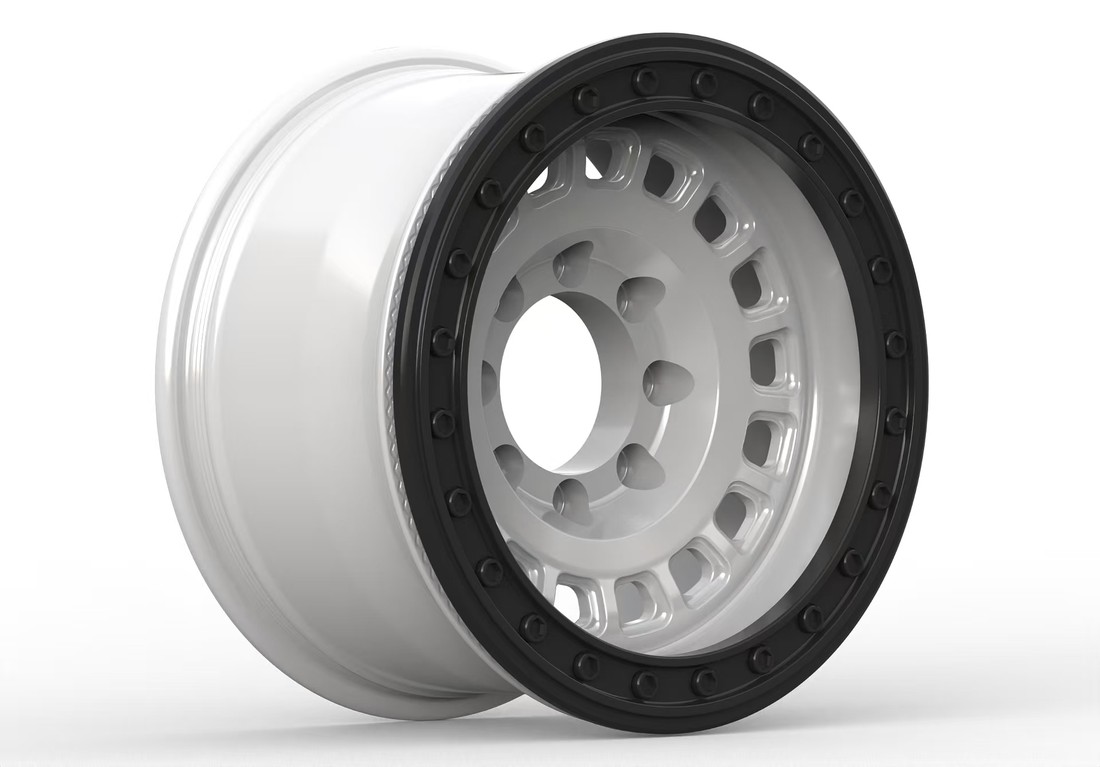
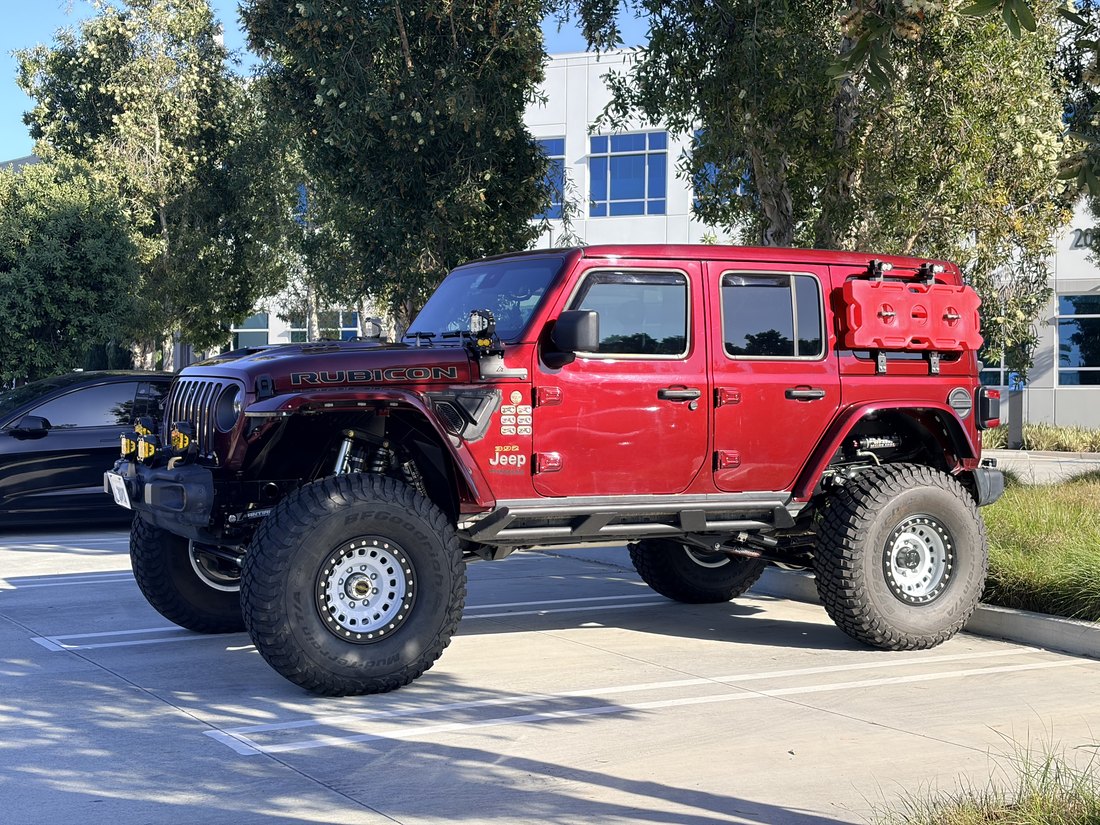
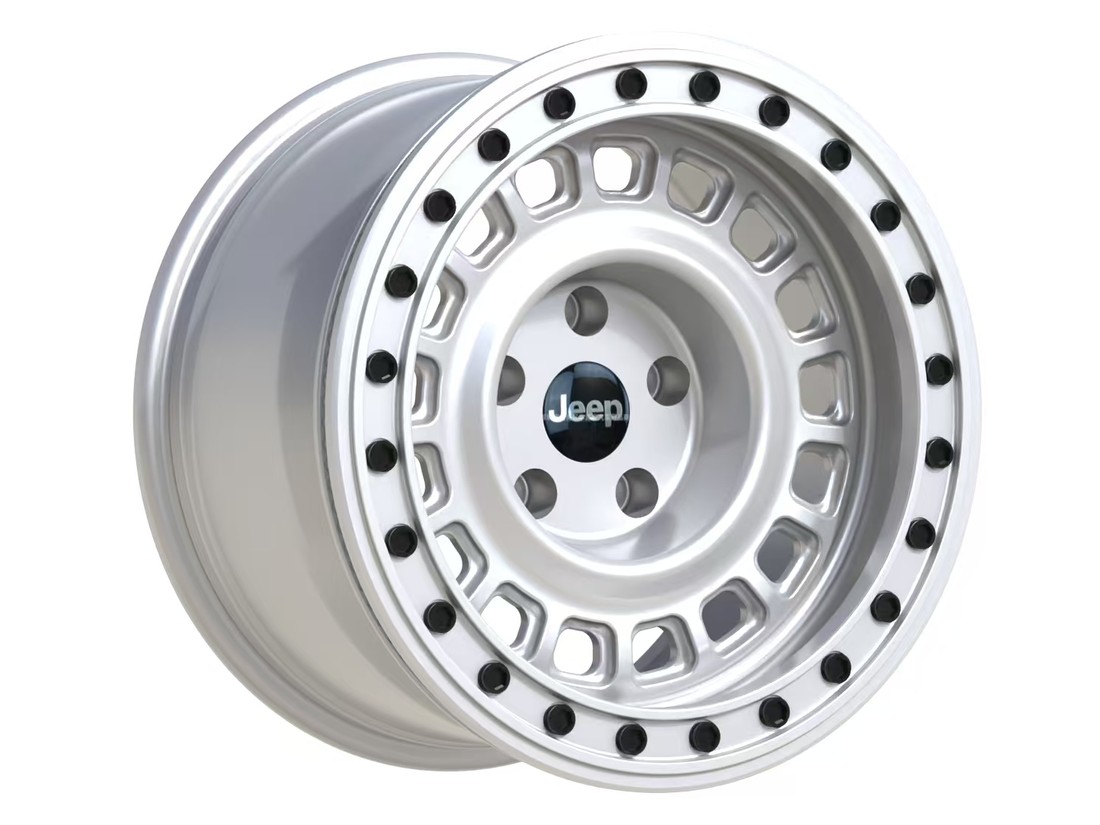
A steel-wheel look with a true beadlock — a combination no one sells, so I designed it, had it forged, and rock-crawl it on my 392.

CAD render of the custom 8-lug forged beadlock wheel, three-quarter view
8-lug design — SolidWorks render

I rock-crawl my Jeep Wrangler 392 — Moab and real terrain — which means I need true beadlock wheels that physically clamp the tire bead to the rim. I also wanted the look of a classic steel wheel: that ring of small holes around a deep, simple face. Nothing on the market does both — every steel-look wheel I could find used a cast-in fake beadlock. So I designed my own and had a contract shop forge it.

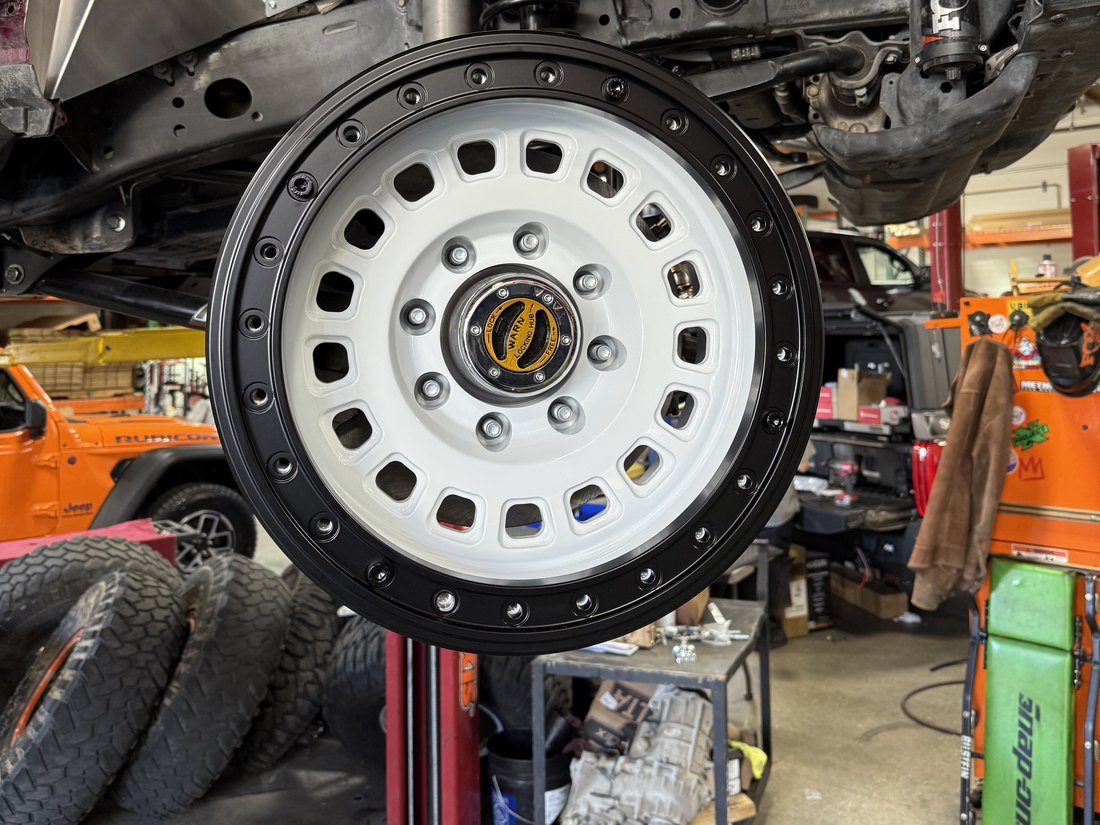
The wheel is a one-piece forged 6061-T6 body with a separate bolt-on beadlock ring, 17×9.5 in an 8-lug pattern. I modeled it in SolidWorks and ran a static stress check in SolidWorks Simulation to confirm there were no obvious stress concentrations or weak points — the real proof has been the miles. I run 39×13.50R17 on them; I test-fit 42s, but they looked out of proportion, so I went back to 39s.

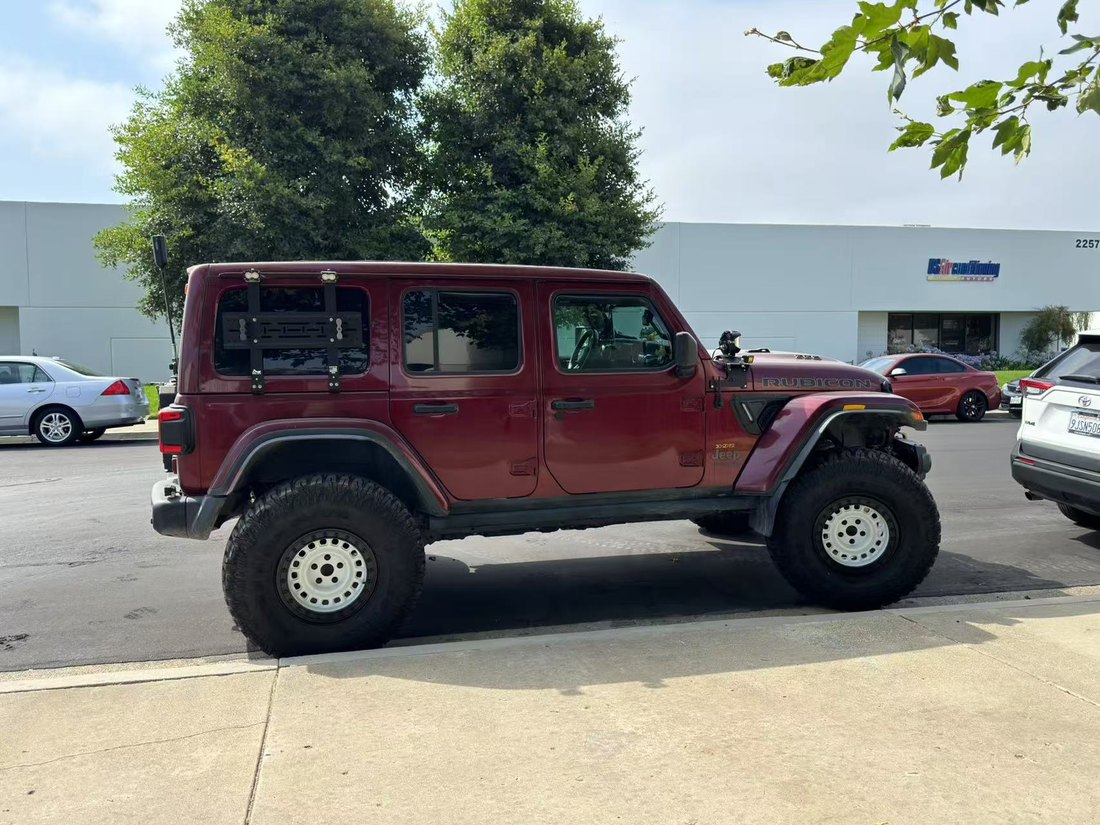
This is actually the second version. The first was a 5-lug, 17×9 wheel for my Dana 44 axle, designed a year earlier. When I switched to a Currie 70 — an 8-lug axle with a larger hub — the bigger bolt circle pushed the lug holes out toward the spoke windows and looked crowded, so I refined the face into the 8-lug version here. Each version is one of one; only my truck runs them, and each set has covered roughly 8,000 trail miles.

On the truck
First version — 5-lug, Dana 44
02 / 03

Jeep 392 Transfer-Case Integration

Got an aftermarket transfer case and the factory drivetrain module to agree — a root-cause fix Atlas later validated.

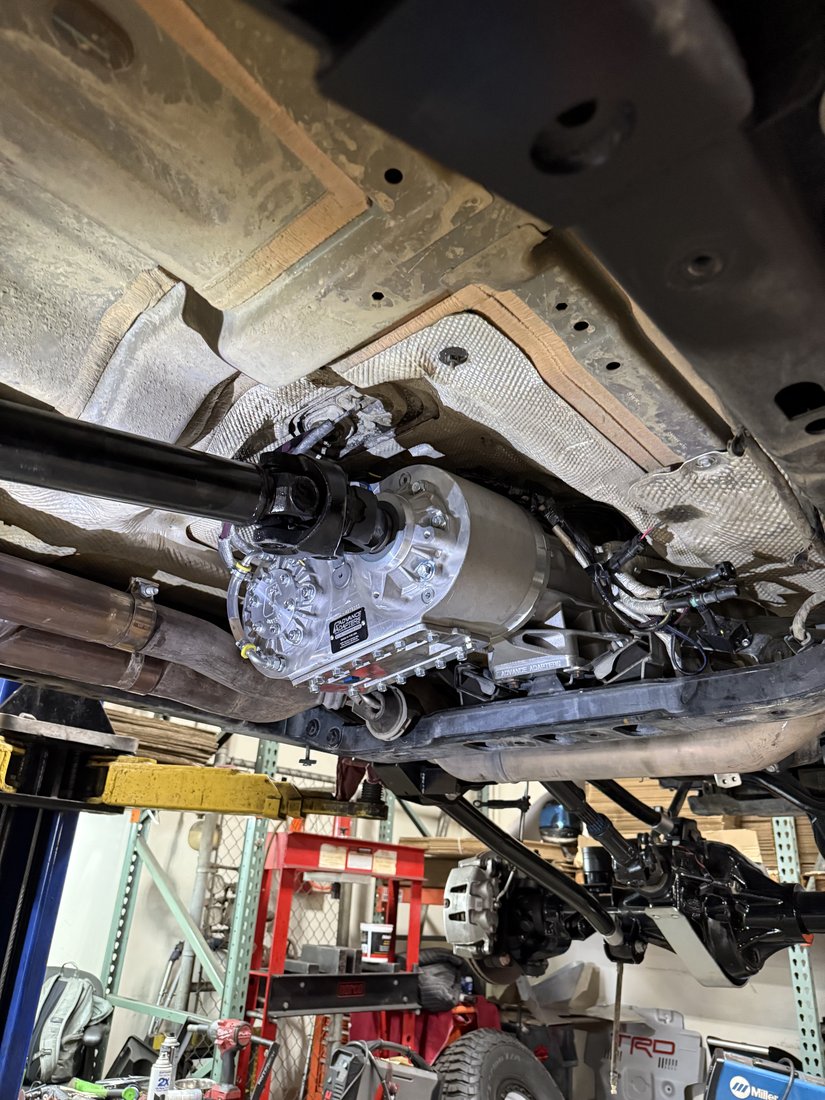
Aftermarket Atlas transfer case installed under the Jeep
Atlas transfer case (installed)

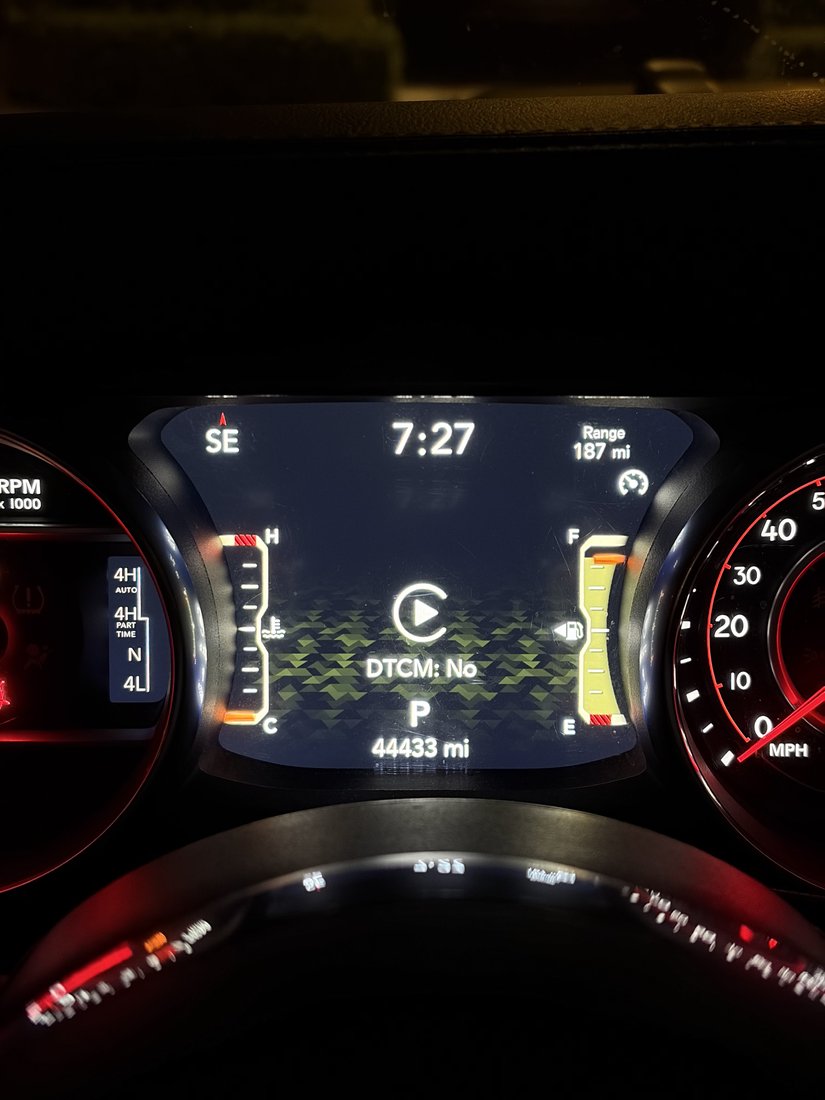
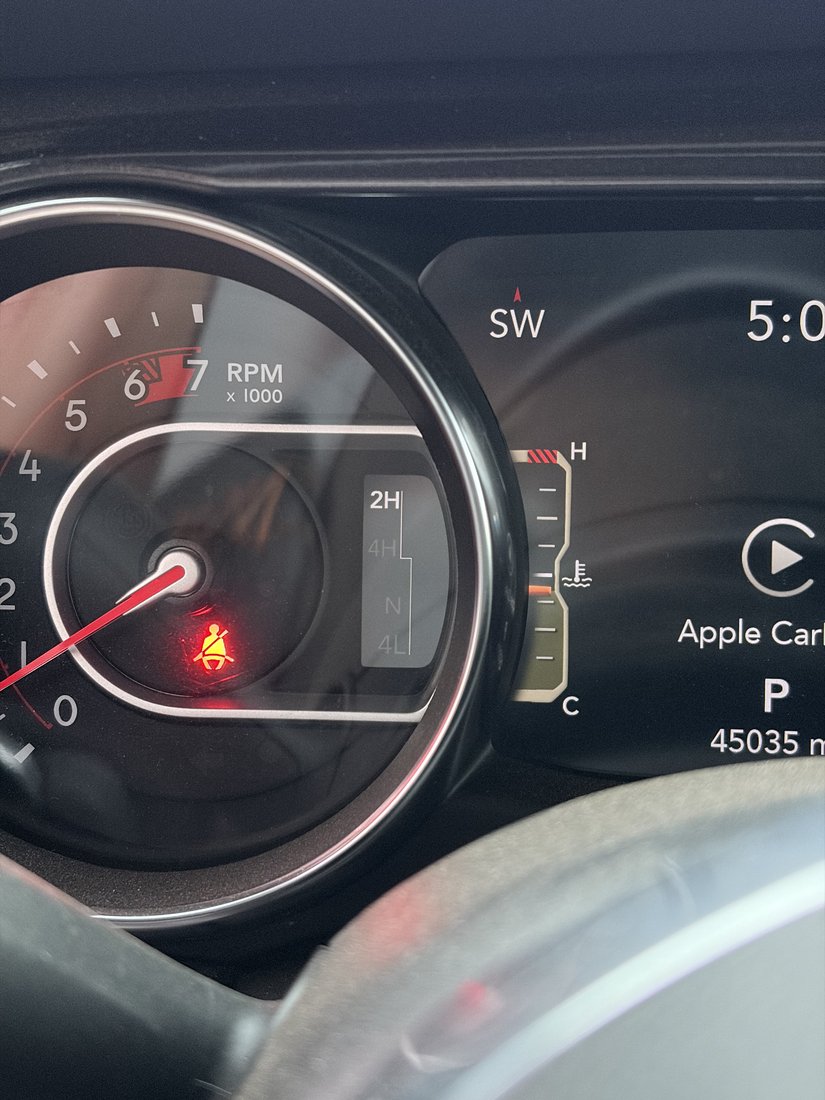
I run a Jeep Wrangler 392 — among the first handful in the US — fitted with an aftermarket Atlas transfer case, and the two don't agree. The factory Drivetrain Control Module (DTCM) is built around the 392's 4Auto mode, but the Atlas has no 4Auto and brings 2High back instead, so once the truck is actually in 2High the module and the real drivetrain disagree and the ECU throws a conflict. The standard workaround is to disable the DTCM to clear the fault — but that same module is what softens the throttle in 4Low to keep the truck controllable on technical terrain. Disable it and 4Low turns hair-trigger, which makes the truck genuinely hard to drive for anyone who isn't wheeling for a living.

It landed on me for two reasons. The factory transfer case kept failing — two warranty replacements in two years, since the stock 4Auto's motor-actuated clutch can burn out under a sudden load — so rather than keep cycling through them I switched to what serious off-roaders run. And no one had solved the throttle side because the Atlas is racing-grade gear, bought mostly by people who don't miss the 4Low modulation; on a street-driven 392 the conflict is essentially inevitable, but the demand to fix it had never existed.

The fix came from thinking about equivalence. With the Atlas in place, my truck now had a base-Wrangler mode set — 2High / 4High / 4Low — rather than the 392's, so instead of disabling the DTCM I proposed swapping in the module from a regular Wrangler, which is built to expect exactly that configuration: it should clear the conflict and bring the 4Low throttle modulation back. Pinning down the exact donor was the hard part, because the right module depends on the trim and model year, and the wrong one leaves the control logic out of sync. I reasoned it should be a Rubicon, and another Wrangler owner from the forums — one with access to the factory module data — helped me check it. The guess was close but wrong: the donor had to be the base Sport trim.

With that module in, the truck recognizes the transfer case, runs my 4WD mapping through the ECU again, and the throttle is controllable. We fed the result back through my build and fab shops to Atlas, who validated it across several more trucks. It reduces to a repeatable procedure: fit a same-year base-Wrangler Sport DTCM, then use AlphaOBD over the OBD port to set the parameters. What I like about this one is that there was almost no documentation to lean on — the fix came from reasoning about functional equivalence between two drivetrain configurations and validating it on real vehicles, the same root-cause-and-validate work I do on hardware.

How the fix works
01 · Stock 392
Factory DTCM
DTCM expects4Auto · 4H · 4L
Transfer case is4Auto · 4H · 4L
match

In 4Low the DTCM softens throttle input — the truck stays controllable.

02 · Atlas, DTCM disabled
The workaround
DTCM expects4Auto · 4H · 4L
Transfer case is (Atlas)2H · 4H · 4L
conflict

The DTCM is disabled to clear the ECU fault — but 4Low loses its throttle modulation, so the pedal turns hair-trigger.

03 · Base-Wrangler DTCM
The fix
DTCM expects (Sport)2H · 4H · 4L
Transfer case is (Atlas)2H · 4H · 4L
match

AlphaOBD sets the parameters; the ECU recognizes the config and 4WD mapping + 4Low modulation are restored.

Evidence on the cluster
03 / 03

Side-Step for a Lifted Jeep

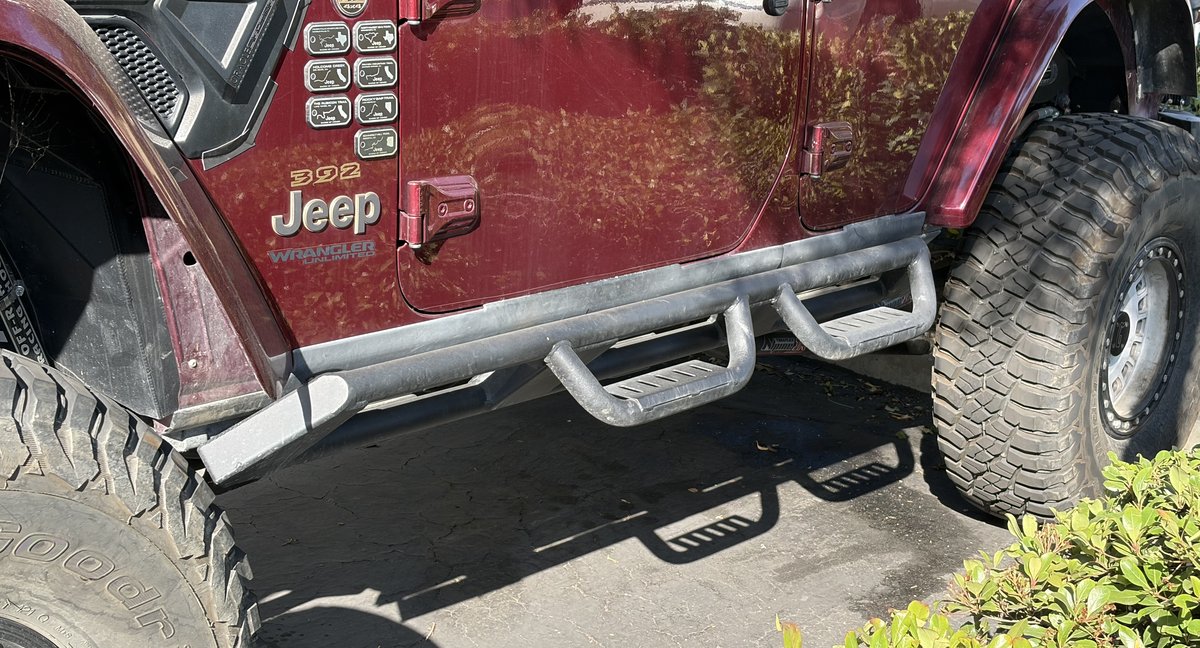
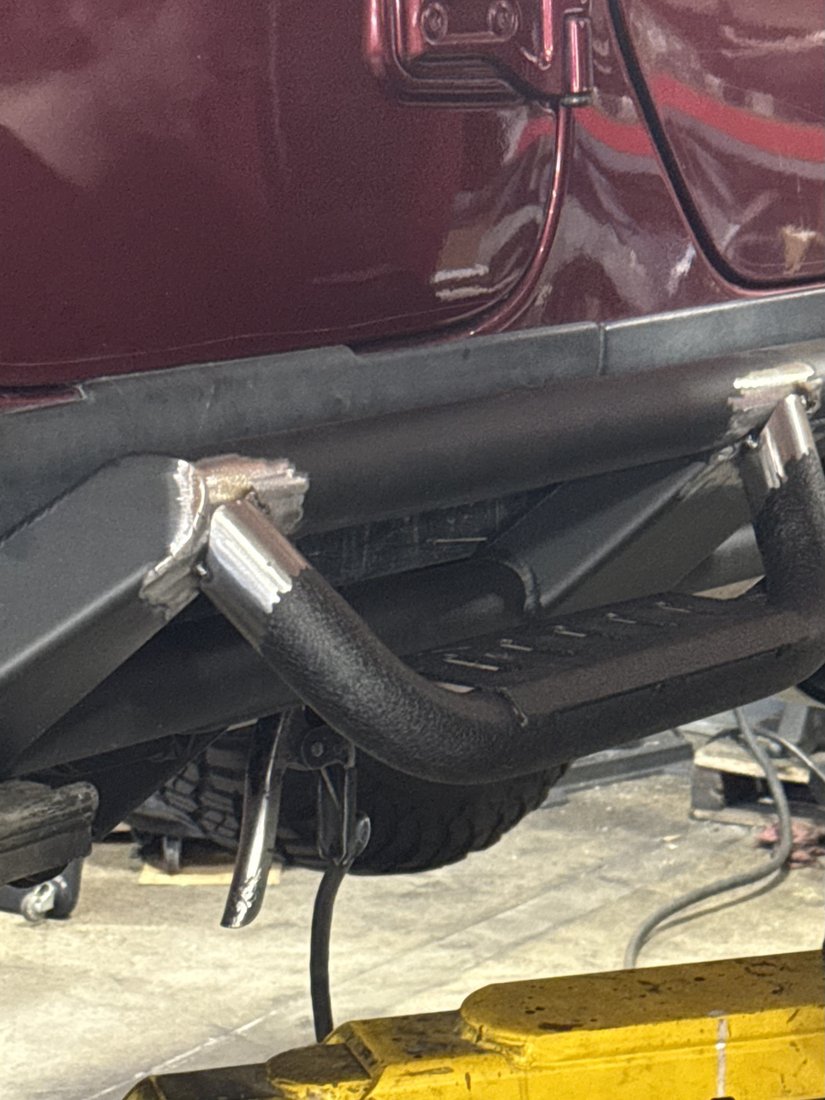
Fabricated a step for a welded-on slider by adapting a Ford Bronco running board — cut, notched, and welded to fit.

The finished step installed on the Jeep
Finished on the truck

My approach to the lift was to keep it as low as possible — a low center of gravity, only as much height as the tires actually need. I started at a 3.5-inch lift, just enough to clear 38-inch tires, and at that height getting in and out was completely normal — which is exactly why I never bought a slider with a built-in step. I didn't need one.

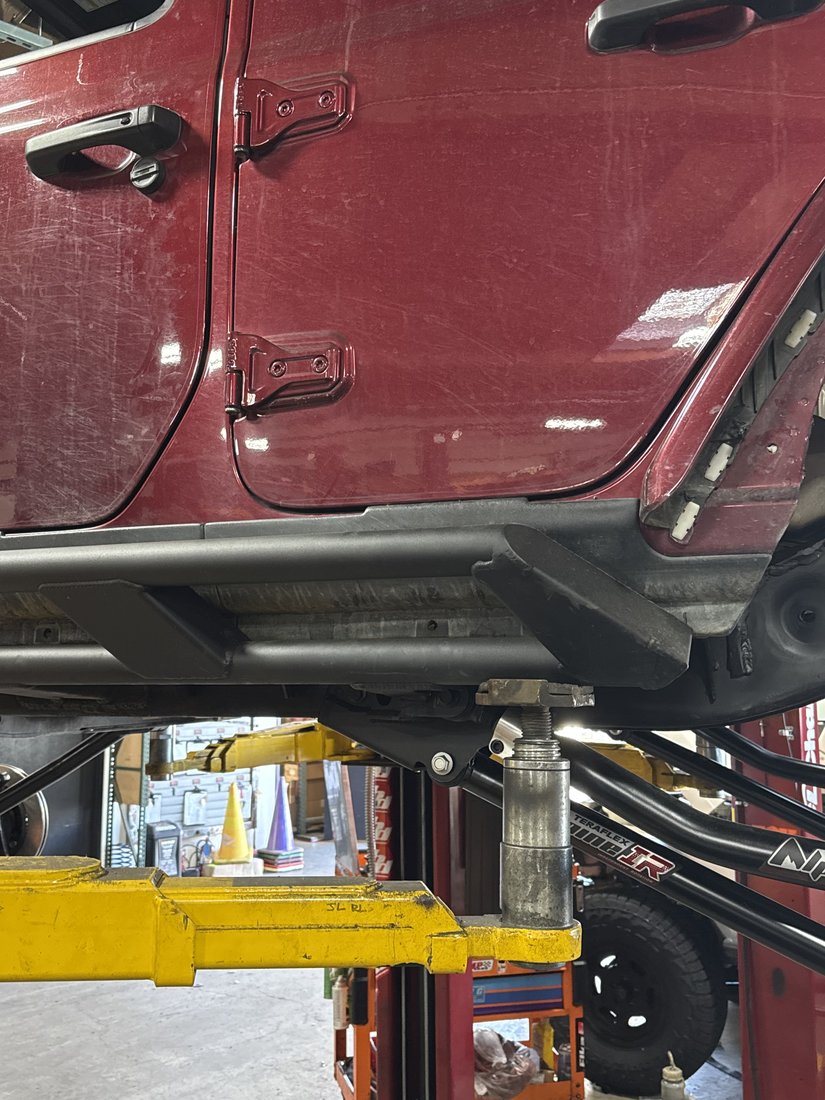
The Motobilt rock sliders I fitted at that stage are excellent and very strong, but they're a round-tube, weld-on design — permanent, not something I can unbolt and swap for a different shape. Later, to run 40–42-inch tires, I added another 2–3 inches of lift, and at that new height climbing in and out got genuinely awkward, worse for my girlfriend. With the sliders welded on, fitting a stepped version wasn't an option — so I added a step to the ones I already had.

I bought a bolt-on running-board step made for a Ford Bronco, cut its mounting brackets off with an angle grinder, then notched and ground the step's own tube to a profile that seats directly onto my existing slider. Then I welded it to the frame side. Because both the frame and the step are steel, there was no dissimilar-metal concern — it came down to getting the orientation and position right, then cutting and welding.

The result is solid and has held up in daily use, and getting in and out is now easy for both of us. It's a small thing, but a clean example of working within a constraint — a weld-on slider I couldn't replace — and adapting an off-the-shelf part to solve the problem rather than buying a more expensive purpose-built one.

Process & detail
(05) Software & Tools
01 / 02

Midnight Diner

A two-sided home ordering app — my partner orders on her phone, the kitchen sees it live (React PWA).

Midnight Diner customer view, the ordering menu
Customer view

A two-sided meal-ordering app I built and run at home. My partner picks what she wants from her phone, and it shows up instantly on a wall-mounted iPad in the kitchen. The customer view is deliberately minimal — just the menu and a cart — while a separate real-time kitchen view lists incoming orders by time, dish, and quantity, with a one-tap split-screen toggle so the customer side never sees the back-end order records.

For notifications I chose a zero-cost front-end approach over paid background push: for a household-scale tool running on one always-on screen, real push wasn't worth the hosting cost. It's a small system, but a clean separation between a customer role and an operator role, and a pragmatic build-vs-cost call.

From order to kitchen screen
02 / 02

AI Recipe Manager

A recipe app that imports, AI-generates, plans a week, and builds shopping lists — with photo/vision input (Python, LLM + vision).

AI Recipe Manager home screen with search and import options
Home

A recipe app that imports, generates, plans, and shops. Paste a link from Xiaohongshu or Xiachufang and it pulls the recipe in, simplifies it, and saves a clean copy — so it survives even if the original comes down. You can also type a dish or a few ingredients and let it generate one, snap a photo of a dish, OCR a screenshot, or photograph the fridge to pull several dishes at once. Opening a saved recipe shows an AI summary with ingredients, time, and difficulty.

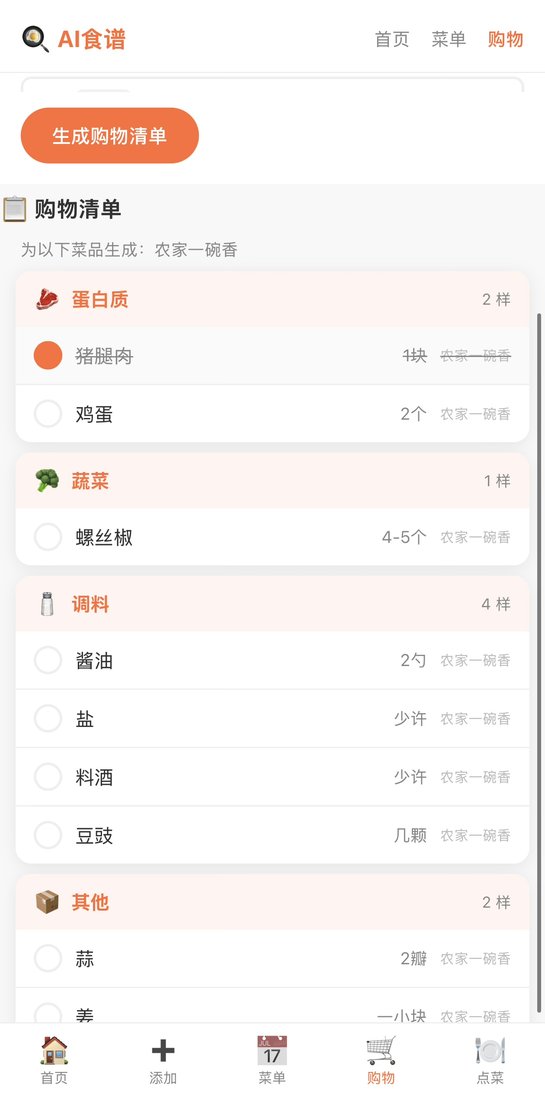
From there it auto-builds a week of breakfasts, lunches, and dinners, and turns either the weekly menu or a single recipe into a category-grouped shopping list you check off as you buy. A health mode biases both the generated recipes and the weekly menu toward lighter, lower-fat options.

Add a recipe
Plan the week, then shop
(06) Contact
Let's build something.